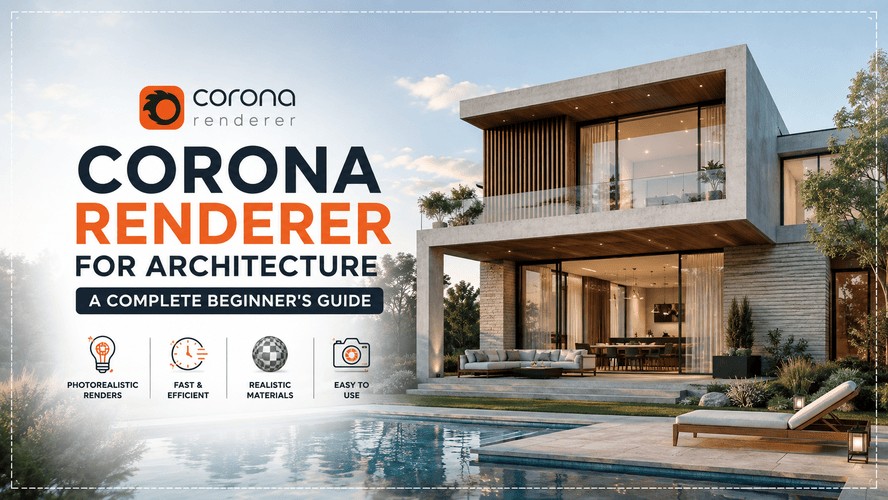
So you've been hearing "Corona" thrown around in studio a lot lately. Someone's senior submitted a render that looked suspiciously good for how little time they spent on it, and when you asked what they used, the answer was Corona Renderer, not V-Ray. And now you're wondering if you've been wasting hours tweaking sampler settings for nothing.
Fair question. Let's actually answer it.
Also Read : Introduction to V-Ray Rendering
What Is Corona Renderer?
Corona renderer is a CPU-based rendering engine built inside 3ds Max (and Cinema 4D, though most architecture folks in India work in Max), made by Chaos - yes, the same company that makes V-Ray. It was originally an independent project started back in 2012, aimed squarely at high-end architectural visualization, and Chaos eventually acquired it because the archviz world kept gravitating toward it anyway.
Here's the thing that actually matters to you as a student or a working professional: Corona's whole design philosophy is "get out of the artist's way." Where V-Ray hands you forty dials and expects you to know which ones to touch, Corona gives you maybe five, and the defaults are already tuned to look good. That's not a dumbed-down version of a real renderer. It's a genuinely production-grade tool that a lot of interior visualization studios in Bengaluru, Pune, and Mumbai run as their primary pipeline, precisely because junior artists can get usable output without a two-week crash course first.
Also Read: From 2D to 3D: Elevate Your Designs With Realistic Renders in V-Ray
Installing Corona Renderer and the Cosmos Material Library

Getting Corona onto your machine is honestly less dramatic than people make it out to be. You install it as a plugin inside 3ds Max, sign in with your Chaos account, and it shows up as a render engine option right there in your Render Setup dialog. No separate application, no export step, nothing.
The part that actually saves you time is Chaos Cosmos, the bundled asset library that ships with your Corona license. It's got thousands of ready-to-drop furniture pieces, materials, HDRIs, and vegetation, all render-ready with zero setup. If you've ever spent an entire evening hunting for a decent sofa model on some sketchy site with broken textures - Cosmos exists so you never have to do that again. Drag, drop, done. For interior scenes especially, this alone can shave hours off a project.
Worth noting: Corona doesn't currently plug directly into SketchUp, Revit, or Rhino the way some real-time renderers do. You'll need your model inside 3ds Max to use it. If your day-to-day work lives mostly outside Max, that's a real consideration before you commit.
Already comfortable with the basics and want to push toward studio-level, client-ready renders faster? Kaarwan's rendering masterclass is built for exactly that jump - from default settings to a portfolio piece that actually gets noticed.
Your First Render: Lighting and Materials Basics
Your first Corona render is going to look better than you expect, and that's kind of the point. Set up a Corona Sun and Sky, drop in a Corona Physical Material or two, hit render, and you'll already have something that reads as photorealistic-ish. The physical material handles roughness, metalness, and clear coat in one shader, which covers most of what you'll actually need for walls, flooring, glass, and furniture.
A few things worth knowing early on:
- Adaptive Lights automatically balance interior exposure, so your windows don't blow out to pure white - a problem that eats hours in other engines.
- LightMix lets you rebalance individual light intensities after the render is done, straight in the frame buffer. One render, multiple lighting moods. Genuinely useful when a client wants to see the same room at dusk and midday without waiting twice.
- The noise level limit is really the only setting you'll fiddle with regularly - lower it for a cleaner final image, raise it for quick test renders.
If you're already comfortable in 3ds Max for interior design, a lot of this will feel familiar within your first week.
Corona Renderer vs V-Ray: Which Should You Learn First?
This is the question that actually brought you here, so let's not dance around it.
Both engines are made by Chaos, both use unbiased path tracing, and honestly, in experienced hands, the final image quality difference is small. What actually separates them is workflow.
| Corona | V-Ray | |
| Hardware | CPU only | CPU and GPU |
| Learning curve | Gentle - usable renders within days | Steeper - weeks to get comfortable |
| Interior lighting | Naturalistic, forgiving out of the box | Requires more manual setup |
| Host software | 3ds Max, Cinema 4D | 3ds Max, SketchUp, Revit, Rhino, and more |
| Best suited for | Students, freelancers, interior-focused work | Studios needing GPU speed and multi-software pipelines |
If you're a student building a portfolio, or a freelancer handling residential interiors, Corona is genuinely the faster, cheaper path to something that looks professional. If your firm is Revit-heavy or you're chasing GPU rendering speed for large exterior competition entries, V-Ray earns its steeper learning curve.
Read more on render setup workflows in Vray if you want the other side of this comparison in practice. And if you're still mapping out where Corona fits in the wider rendering toolkit, our rundown of the top rendering tools every architect should know is worth a look too.
Realistically, most working professionals end up learning both eventually. It's not really an either-or decision, more a "which one do I learn first" one.
Is Corona Renderer Free? Licensing Explained
Short answer: not entirely, but there's a real free tier and a legitimate student path, so don't let this scare you off.
Corona offers a free non-commercial license for personal projects and learning, which is genuinely full-featured - no watermarks, no crippled functionality. If you're a student, Chaos also runs an educational licensing program that gives you the paid version at no cost while you're enrolled in a recognized institution, Cosmos and all. Once you're working commercially, you're looking at an annual per-seat license, priced noticeably lower than V-Ray's equivalent tier, which is part of why so many freelancers and small studios default to it.
So no, it's not "corona renderer free forever for commercial work" - but for someone learning the ropes right now, cost basically isn't a barrier.
Career Scope: Do Firms Use Corona or V-Ray More?
Depends entirely on the kind of studio. Interior design and residential archviz firms - especially the smaller, CPU-based setups you'll find across a lot of Indian cities - lean Corona hard, because it gets a junior team member to a usable render fast without babysitting every setting. Larger firms working across Revit-BIM pipelines, or studios chasing GPU speed for big exterior and urban-scale visualizations, tend to stay on V-Ray, partly because it plugs directly into Revit and partly because the GPU mode is simply faster on the right hardware.
If you're job hunting right now, the honest advice is: don't pick a side too early. Learn Corona first if you want quick wins for your portfolio, but keep V-Ray on your radar, because a decent chunk of interview shortlists still ask for it specifically, particularly at firms handling BIM-integrated projects.
Before You Go
Corona and V-Ray are built by the same company, Chaos - so once you've got a handle on Corona's fundamentals, moving into deeper production rendering isn't a huge leap. If you want to go further with professional-grade rendering workflows, Kaarwan's Master V-Ray Rendering Masterclass walks you through exactly that transition, one production-ready render at a time.
FAQs
Is Corona Renderer easier to learn than V-Ray?
Yes, meaningfully so. Corona's default settings are tuned to already look good, so you spend your early weeks on composition and lighting mood rather than sampler math. Most people get to a usable render within days; V-Ray typically takes a few weeks to feel comfortable.
Does Corona Renderer need a powerful GPU, or does it run on CPU?
It's CPU-based at its core - no full GPU rendering mode, which is unusual for 2026. Chaos has kept it this way intentionally, since CPU rendering handles the heavy polygon counts and displacement common in dense interior scenes without being bottlenecked by GPU memory.
Can I switch materials between Corona and V-Ray?
Mostly, yes - since both share the Chaos ecosystem, including Cosmos assets and similar physical material logic, moving between them is smoother than jumping between unrelated engines. That said, always double-check glass, polished metal, and other reflective surfaces after converting; they don't always translate one-to-one.
Is Corona Renderer free for students?
Chaos runs an educational license program that gives verified students full-featured access at no cost, Cosmos library included. There's also a permanent free non-commercial tier for personal projects even outside that program.