

Adobe XD stands as one of the most robust tools for UI/UX designers today. It simplifies the design process by offering a comprehensive suite of tools for wireframing, prototyping, and interactive design. With its sleek interface and powerful features, Adobe XD is an essential tool for both novice and professional designers.
This guide explores Adobe XD’s capabilities and why it’s a favorite in the design community.
What is Adobe XD?
Adobe XD, short for Adobe Experience Design, is a vector-based tool tailored specifically for UI and UX design projects. It supports everything from creating simple wireframes to developing high-fidelity interactive prototypes. Its cross-platform availability on macOS and Windows makes it accessible for a wide range of users.
Key Features of Adobe XD
1. Intuitive Design Interface
Adobe XD provides a clean and user-friendly interface. Designers can seamlessly switch between tools and focus entirely on their creative process.
2. Responsive Design
The Responsive Resize feature enables you to resize designs for multiple devices effortlessly. Whether you're designing for a smartphone or a desktop, Adobe XD ensures your layout adapts beautifully.
3. Interactive Prototypes
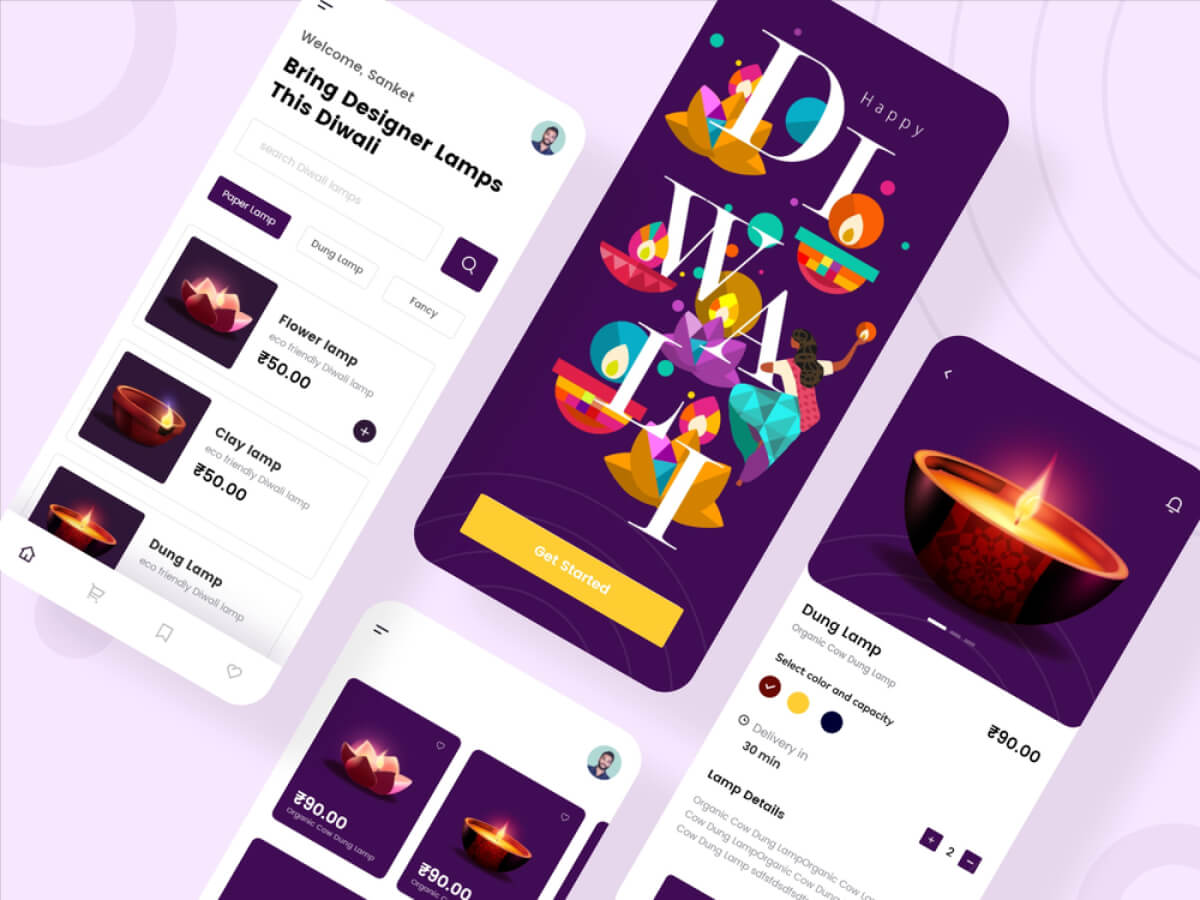
This tool allows designers to connect artboards, add transitions, and include micro-interactions. Voice-enabled prototyping is also supported, offering an innovative edge.
4. Real-Time Collaboration
Adobe XD promotes teamwork through its real-time coediting feature. This allows designers and developers to work on a single project simultaneously.
5. Plugin Integration
Its extensive plugin library allows users to extend functionality, adding automation, usability testing, and other advanced features to enhance workflow.
Benefits of Using Adobe XD
- Streamlined Workflow: Being part of Adobe Creative Cloud, Adobe XD integrates seamlessly with Photoshop, Illustrator, and After Effects.
- Accessibility: It works on both macOS and Windows, making it ideal for diverse teams.
- User-Centric Features: From drag-and-drop prototyping to voice interaction, Adobe XD offers tools that are tailored to user needs.
- Budget-Friendly Options: The free version allows users to test its features before committing to a paid plan.
- Ease of Use: With a minimal learning curve, even beginners can quickly adapt and start designing.
Challenges and Limitations
While Adobe XD has many strengths, there are areas for improvement:
- Internet Dependency: Cloud-based features require a reliable internet connection.
- Limited Free Plan: Advanced features like unlimited sharing and collaboration are locked behind paywalls.
- Learning Curve for Advanced Tools: Features such as auto-animation and voice prototyping require additional learning.
How to Get Started with Adobe XD
1. Download the Software
Visit the Adobe website to download XD. It offers a free plan with basic features and paid plans for professionals.
2. Create Your First Project
Start by selecting an artboard template based on the platform you’re designing for (e.g., mobile, web). Customize the artboard to suit your project’s needs.
3. Build Wireframes
Use the vector design tools to create wireframes. Experiment with grids, shapes, and alignment options for precision.
4. Add Interactivity
Link screens and apply transitions to bring your designs to life. Use features like auto-animation to enhance the user experience.
5. Collaborate and Share
Invite team members to collaborate on your project. Share links to prototypes for feedback or hand them off to developers with built-in code specs.
Tips for Efficient Use of Adobe XD
- Master Shortcuts: Learn keyboard shortcuts to speed up your design process.
- Leverage Plugins: Explore Adobe XD’s plugin library for tools that automate repetitive tasks.
- Experiment with Prototyping: Try out advanced prototyping options, such as voice interaction, to make designs more engaging.
- Use Grids and Guides: Maintain alignment and consistency by enabling grids and guides in your designs.
- Stay Updated: Adobe frequently rolls out updates, so keep your software up to date to access new features.
Why Adobe XD Stands Out
Compared to competitors like Sketch and Figma, Adobe XD’s integration with the Adobe ecosystem gives it a unique edge. It’s a versatile tool for designers already familiar with Adobe products. Additionally, the platform’s focus on interactivity, animation, and voice-enabled features helps designers push the boundaries of their creativity.
Conclusion
Adobe XD is more than just a design tool; it’s a complete solution for modern UI/UX design. From its responsive resize feature to its real-time collaboration capabilities, Adobe XD empowers designers to create user experiences that are both functional and visually stunning. Whether you’re designing for mobile apps, websites, or other digital products, Adobe XD’s versatility and power make it an invaluable asset for every designer.
Master the art of crafting intuitive interfaces and unforgettable user experiences with our Advanced UI/UX Design Course. Gain hands-on skills, elevate your career, and create designs that leave a lasting impact.
Enroll now at Kaarwan and take your expertise to the next level!
FAQs
1. Is Adobe XD free to use?
Yes, Adobe XD offers a free plan with basic features. For more advanced features, you can upgrade to a paid plan.
2. Can Adobe XD be used offline?
Yes, you can design offline, but cloud features like collaboration require an internet connection.
3. How does Adobe XD compare to Figma?
While both are excellent tools, Adobe XD stands out for its integration with Adobe Creative Cloud, making it ideal for designers already using other Adobe software.
4. Does Adobe XD support plugins?
Yes, Adobe XD has a robust plugin library to extend its functionality and streamline workflows.
5. What devices does Adobe XD support?
Adobe XD is available on both macOS and Windows platforms, ensuring compatibility for diverse teams.




