


User experience (UX) design is no longer just about aesthetics or usability—it’s about creating intelligent, personalized, and seamless interactions. Artificial intelligence (AI) has revolutionized how designers approach UX, making interfaces smarter, more responsive, and highly adaptive to individual user needs.
From predictive analytics and automation to AI-powered chatbots and generative design, AI is redefining the way digital experiences are crafted. This blog explores the role of AI in UX design, the key benefits it offers, and the future of AI-driven user experiences.
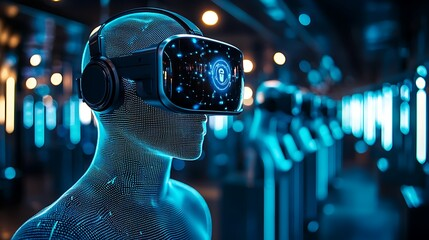
1. AI-Driven Personalization: Tailoring UX to Individual Users
Personalization is at the core of modern UX design, and AI is making it smarter than ever. Traditional personalization relied on user-defined preferences, but AI enables real-time adaptation by analyzing user behavior, preferences, and interactions.
How AI Enhances Personalization:
- Behavioral Analysis: AI tracks user activity to suggest relevant content or products (e.g., Netflix recommendations).
- Dynamic UI Adjustments: Interfaces adjust based on user behavior, device type, or environmental conditions.
- Hyper-Personalized Content: AI-driven platforms like Spotify and Amazon tailor content dynamically for each user.
AI-powered personalization ensures that users get a seamless, relevant, and engaging experience, reducing friction and increasing engagement.
2. AI-Powered Chatbots and Virtual Assistants
Conversational AI has revolutionized customer interactions by enabling businesses to provide instant, automated, and human-like responses through chatbots and virtual assistants.
Why AI Chatbots Are Game-Changers for UX:
- 24/7 Availability: Unlike human agents, AI chatbots provide round-the-clock assistance.
- Natural Language Processing (NLP): AI understands and responds to user queries conversationally.
- Improved Customer Experience: AI chatbots can handle FAQs, troubleshoot issues, and even make product recommendations.
Examples like ChatGPT, Google’s Bard, and Apple’s Siri showcase how AI enhances UX through instant, intelligent, and context-aware interactions.
3. AI-Driven Predictive Analytics: Enhancing User Journeys
AI doesn’t just react—it predicts. Predictive analytics in UX design helps anticipate user needs, behaviors, and pain points before they arise, making interfaces more proactive.
Key Applications of AI in Predictive UX:
- Smart Recommendations: E-commerce sites suggest products based on past purchases and browsing habits.
- User Flow Optimization: AI detects drop-off points and refines user journeys.
- Proactive Assistance: AI alerts users before they face an issue, like Google Maps suggesting alternative routes in traffic.
With AI-driven insights, UX designers can optimize interfaces for maximum engagement and efficiency.
4. Automated UX Design: AI-Generated UI and Wireframes
AI is not just assisting designers—it’s designing too. AI-driven tools can now generate layouts, wireframes, and even UI components automatically, reducing manual effort and accelerating the design process.
Top AI-Powered UX Design Tools:
- Adobe Sensei: Automates repetitive design tasks.
- Figma AI Plugin: Generates UI components based on design guidelines.
- Uizard: Creates wireframes and prototypes using AI.
By automating tedious tasks, AI allows designers to focus on creativity, strategy, and user research, enhancing the overall UX design process.
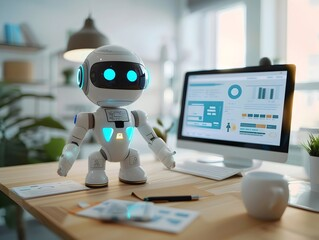
5. AI in Usability Testing: Faster, Smarter, and More Accurate
Traditional usability testing is time-consuming, but AI-driven tools are making the process faster, smarter, and more data-driven.
How AI Improves Usability Testing:
- Automated Heatmaps: AI predicts user attention areas.
- Eye-Tracking Analysis: AI-powered tools analyze gaze patterns to optimize layouts.
- Real-Time Feedback: AI identifies friction points in user journeys.
AI-powered usability testing tools like Hotjar, Crazy Egg, and Google Optimize provide instant, data-backed insights, helping designers make informed decisions.
6. Voice and AI-Driven UX: The Future of Interactions
Voice interfaces and AI-driven voice recognition are redefining the way users interact with digital platforms. As smart speakers and voice assistants become more mainstream, voice UX (VUX) is becoming a critical part of design.
Key Benefits of AI in Voice UX:
- Hands-Free Interaction: Ideal for accessibility and multitasking.
- Conversational Interfaces: AI enables seamless interactions through voice commands.
- Adaptive Learning: AI remembers user preferences and improves responses over time.
As voice interactions continue to evolve, UX designers must create conversational and intuitive voice-driven experiences.
7. Ethical AI in UX Design: Balancing Innovation with Responsibility
While AI enhances UX, it also raises concerns about data privacy, bias, and ethical design. As AI becomes more prevalent, UX designers must ensure transparency, fairness, and responsible AI use.
Key Principles of Ethical AI in UX:
- Transparency: Users should know how AI is making decisions.
- Privacy-First Design: AI should respect user data and minimize tracking.
- Bias Reduction: AI models should be trained to avoid discrimination.
By prioritizing ethical AI, designers can build trustworthy and inclusive user experiences.

Conclusion
AI is fundamentally reshaping UX design, making interfaces more personalized, intelligent, and adaptive. From AI-powered personalization and predictive analytics to automated UI generation and voice-driven interactions, AI-driven UX is the future of digital experiences.
For designers and businesses, embracing AI is no longer an option—it’s a necessity. By integrating AI responsibly, UX professionals can enhance user engagement, streamline design processes, and create more human-centric digital experiences.
Are you ready to leverage AI in UX design?
Master the art of crafting intuitive interfaces and unforgettable user experiences with our Advanced UI/UX Design Course. Gain hands-on skills, elevate your career, and create designs that leave a lasting impact.
Enroll now at Kaarwan and take your expertise to the next level!
FAQs
1. How does AI improve UX design?
AI enhances UX through personalization, automation, predictive analytics, and conversational interfaces, making digital interactions more seamless and efficient.
2. Can AI replace UX designers?
No, AI assists designers by automating repetitive tasks and providing insights, but creativity, empathy, and problem-solving remain human-driven.
3. What are AI-powered tools used in UX design?
Popular AI-powered UX tools include Adobe Sensei, Figma AI, Uizard, ChatGPT for conversational UX, and Hotjar for AI-driven usability testing.
4. How does AI impact voice-based UX design?
AI enables natural language processing (NLP) for voice assistants like Alexa and Siri, making interactions more intuitive and human-like.
5. What are the ethical concerns of AI in UX?
Ethical concerns include data privacy, algorithmic bias, transparency, and responsible AI usage in user experiences.




