


As technology continues to advance, the construction and architecture industries have embraced new innovations to improve the design and planning processes. One such groundbreaking technology is Digital Twins. These digital replicas of physical assets are revolutionizing how architects, engineers, and builders work.
But how can you leverage Digital Twins in Revit Architecture? This article will help you learn about the concept of digital twins, how they can be integrated with Revit, and how professionals can upskill with tools like bim certification course online and revit certification course.
What are Digital Twins?
A Digital Twin is a virtual model of a physical object or system that simulates its real-world counterpart. It captures real-time data from physical structures and feeds this data into its virtual model, offering insights into the performance, condition, and behavior of the object or system. Digital twins bridge the gap between the physical and digital worlds, offering enhanced accuracy in modeling and allowing for predictive analytics.
For example, in architecture, a digital twin can simulate how a building will perform under various environmental conditions, such as changes in weather, wear and tear, or usage patterns. By using Revit Architecture, architects can create detailed 3D models of structures that not only showcase design but also monitor the building’s operational efficiency.

Digital twin_©parametric-architecture.com
How Digital Twins Enhance Revit Architecture Workflows
Revit Architecture is an advanced software widely used for building information modeling (BIM). Revit enables architects to create precise architectural designs and ensures a collaborative platform for teams. However, integrating Digital Twins with Revit can enhance workflows in multiple ways.
Real-Time Monitoring
One significant advantage of Digital Twins is real-time monitoring. When connected with sensors embedded in a building’s physical structure, a digital twin constantly collects and analyzes data. For instance, sensors can track energy usage, detect structural damage, or monitor air quality. This data is integrated into the Revit model, providing architects with actionable insights to optimize the building’s design and operation.
Predictive Maintenance and Optimization
By incorporating predictive analytics, Digital Twins help forecast potential issues with a building’s structure or systems before they occur. This leads to proactive maintenance, reducing downtime and costly repairs. Integrating Revit Architecture with digital twins allows architects and engineers to visualize potential problem areas within the building model, making adjustments in the virtual space before they become real-world issues.
Improved Collaboration
Collaboration is key in any architectural project, and Digital Twins streamline communication between teams. By integrating real-time data into Revit models, all project stakeholders—designers, engineers, and builders—have access to the same accurate, up-to-date information. This results in smoother coordination, fewer errors, and better decision-making.
The Role of BIM in Digital Twin Integration
Building Information Modeling (BIM) is a critical element in the creation and management of Digital Twins. BIM is a digital representation of the physical and functional characteristics of a building, and it serves as the foundational data for a digital twin. Revit is one of the leading BIM tools, and it seamlessly integrates with Digital Twins to provide a more comprehensive understanding of a building’s lifecycle.
BIM enables the tracking of all relevant project information, such as design documents, cost data, and schedules. When paired with Digital Twins, BIM data allows for advanced simulations of how a building will perform over time, considering factors like maintenance, repairs, and energy consumption.
Getting Started with Revit and Digital Twins
For beginners interested in Digital Twin integration with Revit Architecture, here’s how to start:
- Learn the Basics of BIM: To fully understand how Revit Architecture integrates with digital twins, it’s crucial to grasp the fundamentals of BIM. A bim certification course online can provide a solid foundation in BIM, teaching you how to create, manage, and utilize 3D models efficiently.
- Master Revit Architecture: A revit certification course is invaluable for anyone looking to specialize in Revit. These courses help you learn how to create detailed, accurate models that form the backbone of a digital twin, making it easier to simulate real-world conditions.
- Explore Digital Twin Technology: Familiarize yourself with the digital twin ecosystem. Begin by learning about the tools and platforms that allow for real-time data integration, such as sensors and Internet of Things (IoT) devices. Tools like Autodesk’s Forge and Dynamo can help you connect real-time data to Revit models.
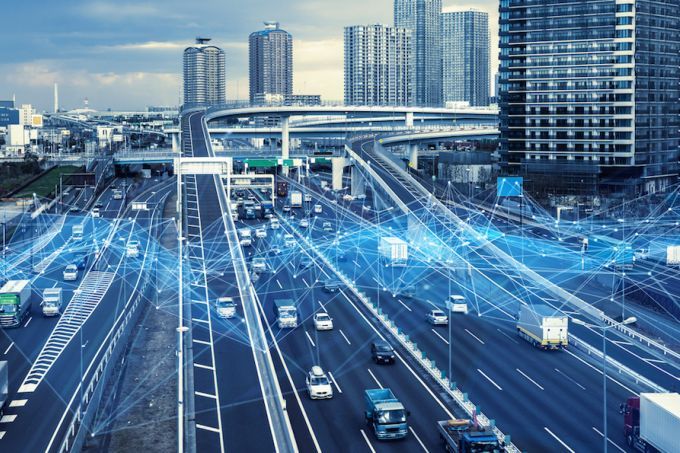
Digital twin of city_©businesstimes.com.sg
Example: Digital Twins in Action
A real-world example of Digital Twins and Revit Architecture working together is the smart building design of the Edge in Amsterdam. The building employs a digital twin model that integrates data from various building systems into the Revit-based BIM. The digital twin not only helps in optimizing energy consumption but also ensures a higher level of occupant comfort. Sensors track lighting, heating, ventilation, and air conditioning (HVAC) systems, and the digital twin predicts the need for maintenance, making the building more energy-efficient and sustainable.
Advantages of Using Digital Twins in Revit Architecture
When integrating Digital Twins with Revit Architecture, several key benefits emerge for architecture professionals and construction teams.
1. Enhanced Design Accuracy
By using real-time data to update models, Revit Architecture can present a more accurate representation of how buildings will perform over time. This means fewer design mistakes and more precise estimations for materials, energy use, and space requirements.
2. Sustainability and Efficiency
Digital twins play a significant role in sustainable architecture. By monitoring a building’s environmental impact, such as energy consumption or water usage, architects can optimize designs for sustainability. Revit’s integration with digital twins makes it easier to simulate green building practices and ensure compliance with sustainability standards like LEED.
3. Cost Savings
While implementing Digital Twins may seem expensive, the long-term cost savings outweigh the initial investment. By reducing errors, preventing costly repairs, and improving building performance, digital twins ultimately lead to a more efficient use of resources and reduced operational costs.
4. Better Lifecycle Management
With Digital Twins, you gain a complete view of a building’s lifecycle, from design to operation and maintenance. This data can be used for long-term planning and management, ensuring that buildings continue to perform optimally for years to come.
Conclusion
The integration of Digital Twins with Revit Architecture offers significant advantages in the world of architecture, from real-time monitoring and predictive maintenance to improved collaboration and sustainability. As the demand for smart, efficient, and sustainable buildings grows, this technology will play a key role in the future of architectural design and construction.
To stay ahead in the industry, architects should consider taking a bim certification course online or a revit certification course to better understand how to incorporate Digital Twins into their workflows. These skills will help professionals stay competitive and ready for the future of architecture.
Elevate your architecture career with Revit! Join our online Professional Revit & BIM Certification Course to learn essential skills for a smarter, more efficient future in design.
Visit the Kaarwan website for more insights!
FAQs
Q1: What is a Digital Twin?
A1: A Digital Twin is a virtual replica of a physical object or system, simulating its real-world counterpart. It gathers real-time data from the physical asset, such as a building, and integrates this information into its digital model. This allows for improved performance analysis, predictive insights, and monitoring of the object’s behavior and condition.
Q2: How does Digital Twin technology enhance Revit Architecture workflows?
A2: Integrating Digital Twins with Revit Architecture improves workflows by offering real-time monitoring and predictive maintenance. Data collected from sensors within a building (e.g., energy use, structural integrity, and air quality) is fed into the Revit model. This integration allows architects to monitor and optimize designs, predict system failures, and improve collaboration among teams, ultimately leading to reduced errors and more informed decision-making.
Q3: What role does Building Information Modeling (BIM) play in Digital Twin integration with Revit?
A3: BIM is the foundation for Digital Twin integration in Revit Architecture. BIM models provide a comprehensive digital representation of a building’s physical and functional characteristics. By linking BIM data with real-time data from Digital Twins, architects and engineers can visualize a building’s performance over time, including aspects such as energy consumption, maintenance needs, and system performance. This creates a more accurate and actionable model for building management.
Q4: What are the advantages of using Digital Twins in Revit Architecture?
A4: Several advantages arise when integrating Digital Twins with Revit Architecture:
- Enhanced Design Accuracy: Real-time data updates improve model accuracy and reduce design errors.
- Sustainability: Digital Twins enable architects to simulate environmental conditions, optimizing energy usage and resource management, contributing to sustainable building designs.
- Cost Savings: Predictive analytics prevent costly repairs and system failures by identifying potential issues early.
- Better Lifecycle Management: Digital Twins allow for efficient management throughout the building’s lifecycle, from design to ongoing operation and maintenance.
Q5: How can professionals upskill to work with Digital Twins and Revit Architecture?
A5: Professionals can upskill by enrolling in a BIM certification course online or a Revit certification course. These courses teach the foundational knowledge of BIM and Revit, while also covering the integration of Digital Twin technology. Understanding these tools will help architects and engineers incorporate real-time data into their workflows, improving building design and operational efficiency.




