


If you're an architecture student or a professional looking to up your game, you've probably come across Building Information Modeling (BIM) and realized how essential it has become in the world of architecture. I remember when I first learned about BIM—it felt like stepping into a new era of design and project management. But even the best tools need the right techniques and workflows to work effectively, especially in a team setting. That's where BIM collaboration tools come in, making sure everyone—from architects to contractors—is on the same page, literally.
It's a quick but intensive way to get up to speed with the basics of BIM architecture before jumping into these collaboration tools.
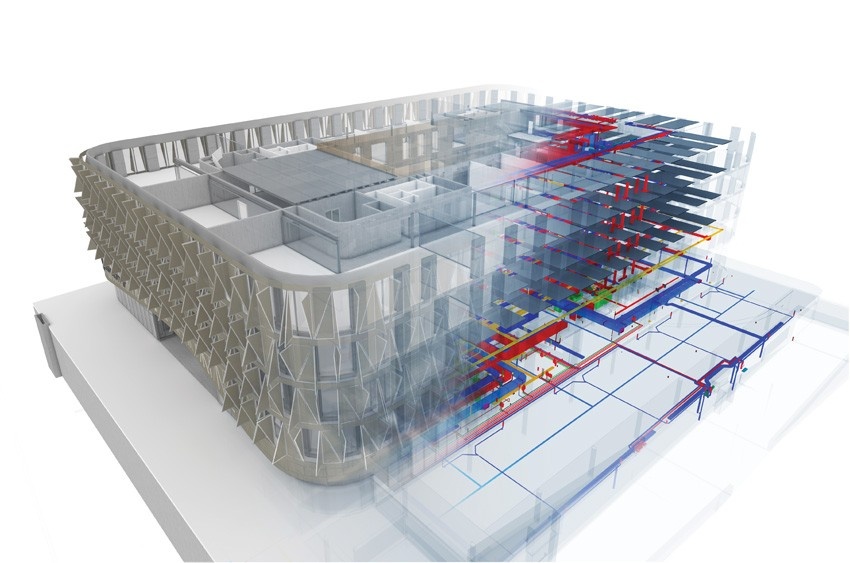
Image Credit: BNPMedia.com
What Are BIM Collaboration Tools and Why Are They Crucial?
BIM collaboration tools are software applications or platforms designed to help project teams communicate, share information, and coordinate their work effectively when dealing with BIM projects. When I talk about BIM, it's not just a fancy term for 3D modeling—it's a holistic process that ties design, construction, and management together. Collaboration tools are what make this cohesive, ensuring all stakeholders have the same information at the same time.
Whether you are working on a school project or managing a high-stakes construction project, these tools can save you from countless headaches. I’ve personally seen how having a robust BIM collaboration platform has saved hours of back-and-forth emails and avoided confusion between different team members. BIM Certification often includes training in these tools because of how vital they are in the modern architecture industry.
Top BIM Collaboration Tools to Consider
1. Autodesk BIM 360
When it comes to BIM architecture, Autodesk BIM 360 is often the first tool that comes to mind. This cloud-based platform provides a central location where everyone can collaborate—from designers to contractors. I've used it during internships, and it made the coordination between architectural, structural, and MEP teams way smoother.
- Features: Real-time collaboration, centralized data management, issue tracking, and integration with other Autodesk tools.
- Best for: Architecture students working on collaborative projects or professionals handling large-scale construction projects.
Autodesk BIM 360 also integrates perfectly with Revit, allowing teams to maintain a single source of truth throughout the entire project lifecycle.
2. Trimble Connect
Trimble Connect is another fantastic tool that I've used to streamline BIM workflows. It's a cloud collaboration platform that enables architects and other stakeholders to easily share and access project files.
- Features: Model viewing, clash detection, version tracking, and mobile access.
- Best for: Smaller firms or academic projects that require a cost-effective collaboration solution.
One thing I love about Trimble Connect is its straightforward interface. It doesn’t have the steep learning curve that some of the other platforms do, which makes it great for students just starting out in BIM.
3. Navisworks
If you're tackling a project that involves intense coordination between different disciplines, Navisworks is a tool you need to check out. Navisworks enables project review in a consolidated space where users can detect clashes and ensure everyone is on the same page.
- Features: Clash detection, 3D model viewing, and project schedule simulation.
- Best for: BIM Certification students focusing on coordination between architecture, engineering, and construction teams.
4. Revizto
Revizto has been a game changer for me, especially when managing design reviews. It combines issue tracking and model viewing into one tool, making it ideal for coordinating between team members.
- Features: Integrated 3D model viewing, issue tracking, and real-time collaboration.
- Best for: Teams that need to streamline design reviews and improve communication.
5. BIMcollab
BIMcollab specializes in issue tracking and clash detection, helping to ensure that any inconsistencies between models are caught early. I often recommend this to anyone focusing on BIM architecture coordination.
- Features: Issue tracking, BIM integration, and cloud-based data management.
- Best for: Projects that require detailed issue management and high coordination across teams.
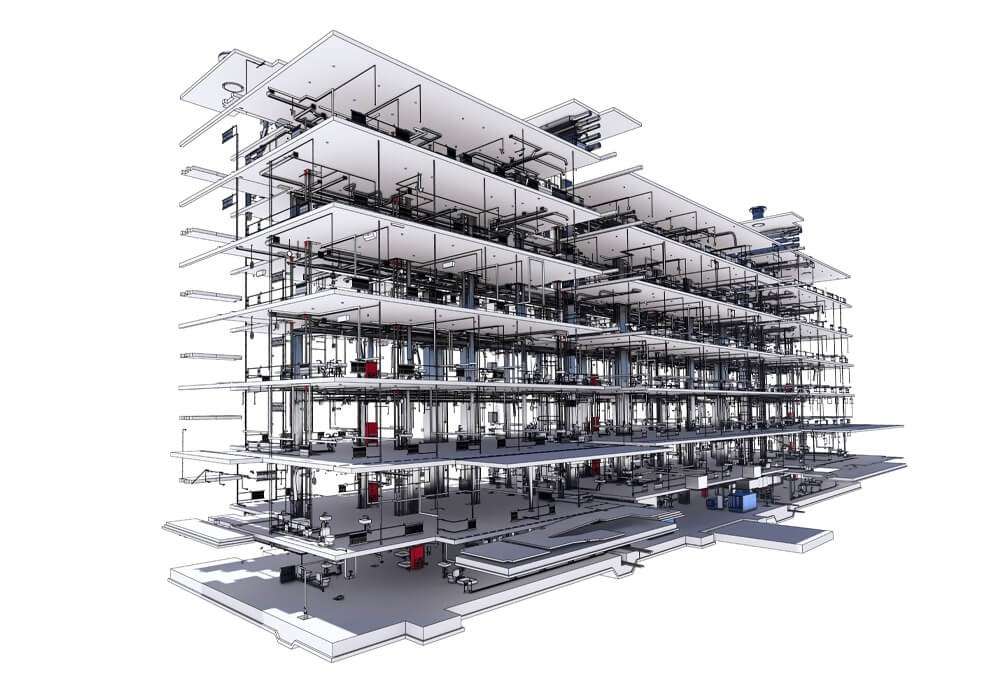
Image Credit: PBSM.it
How BIM Collaboration Tools Improve Team Efficiency
Working on BIM projects without the right collaboration tools can be a nightmare—trust me, I’ve been there. There’s something about opening up a model only to find that the structural engineer has made changes that no one else knew about. That’s why I can’t stress enough how important it is to choose the right collaboration tool.
Here's how these tools make a difference:
- Real-Time Coordination: Instead of emailing files back and forth, everyone works on the same up-to-date version.
- Reduced Errors and Clashes: Tools like Navisworks and BIMcollab detect clashes before they become expensive construction mistakes.
- Improved Communication: You’re able to tag specific team members, track changes, and discuss problems all within the software—making communication more seamless.
Choosing the Right BIM Collaboration Tool for Your Team
Not every tool is right for every team, and it's important to consider factors like project size, team experience, and cost. Here are a few things to think about when choosing a tool:
- Size and Complexity of Your Project: Bigger projects often require more robust tools like Autodesk BIM 360 or Navisworks, whereas smaller academic projects might do fine with Trimble Connect.
- Budget: Some tools are available for free or at discounted rates for students. Look into educational licensing before committing.
- Team's Technical Skills: If your team is relatively new to BIM, go for tools that are beginner-friendly. You don’t want half your project time spent on trying to learn the software.
Getting the Most Out of BIM Collaboration Tools
To make the most out of these tools, consider getting certified. A BIM Certification can give you an edge, especially in today’s competitive job market. Not only does it show that you know the ins and outs of the software, but it also signals to potential employers that you’re serious about understanding BIM architecture.
I took a certification course during my final year, and it was a game-changer. The training covered both software skills and practical workflows that helped me navigate the complexities of real projects.
Conclusion
Whether you are an architecture student just starting out or a professional managing large projects, investing time in understanding BIM collaboration tools will pay off immensely. From preventing expensive rework to improving overall project efficiency, the right tool can make all the difference in the world.
If you're interested in further enhancing your skills, I highly recommend looking into our Advanced BIM Course for deeper insights into BIM architecture, project workflows, and team management strategies.
Visit the Kaarwan website for more details!
FAQs
1. What is BIM collaboration?
BIM collaboration involves the use of specific tools and platforms to share and manage building information among team members to streamline project workflows.
2. Why are BIM collaboration tools important?
These tools ensure that everyone is working with the most recent data, reduce errors, and improve overall project coordination.
3. Can I use free BIM tools as a student?
Absolutely! Tools like Trimble Connect offer free versions or student licenses that are perfect for academic projects.
4. What are the key features to look for in a BIM collaboration tool?
Key features to consider include real-time collaboration, clash detection, version control, issue tracking, and cloud-based access.
5. How can BIM collaboration tools benefit my career?
Using these tools effectively can improve your project management skills, boost productivity, and help you stand out to potential employers by demonstrating your proficiency in modern architecture workflows.




