

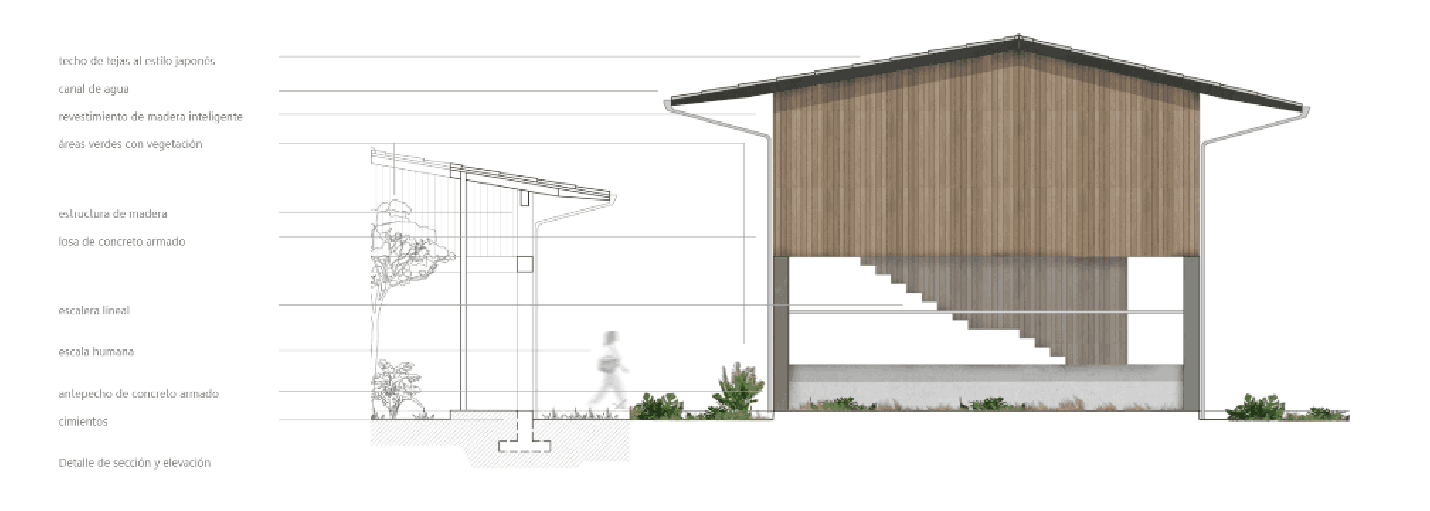
In architecture, your portfolio isn’t just a document — it’s your loudest voice.
Whether you’re applying for a firm, pitching to a client, or heading abroad for your master’s, one thing is non-negotiable: your portfolio should work. Not just look good — it should communicate clearly, reflect your thought process, and strategically place your strengths.
The good news? You don’t need a hundred projects or fancy branding. You need intention, clarity, and a little help knowing what belongs where.
Let’s break it down into 7 focused sections — and we’ll even help you know which project from which Kaarwan course to place and how.
_1752916053781.jpg)
Image Source: Surviving Archtiecture
1. Start with Your Audience in Mind
Think of your portfolio as a storybook — but who are you telling the story to?
- If you're applying for an internship, highlight curiosity, creativity, and the ability to learn quickly. Show process over polish.
- For a job application, your layout should show problem-solving, software fluency, and real-world readiness — even if your projects are academic.
- For master’s programs, they love ambition. Theoretical design, research-based work, or computational exploration stands out.
Tip: Tailor your portfolio. One version for job interviews, another for master’s. Never send the same PDF everywhere.
Visual Suggestion: Start with a clean cover page — your name, contact info, and one hero image from your strongest project (e.g., a final render from Kaarwan’s Rendering Bootcamp).
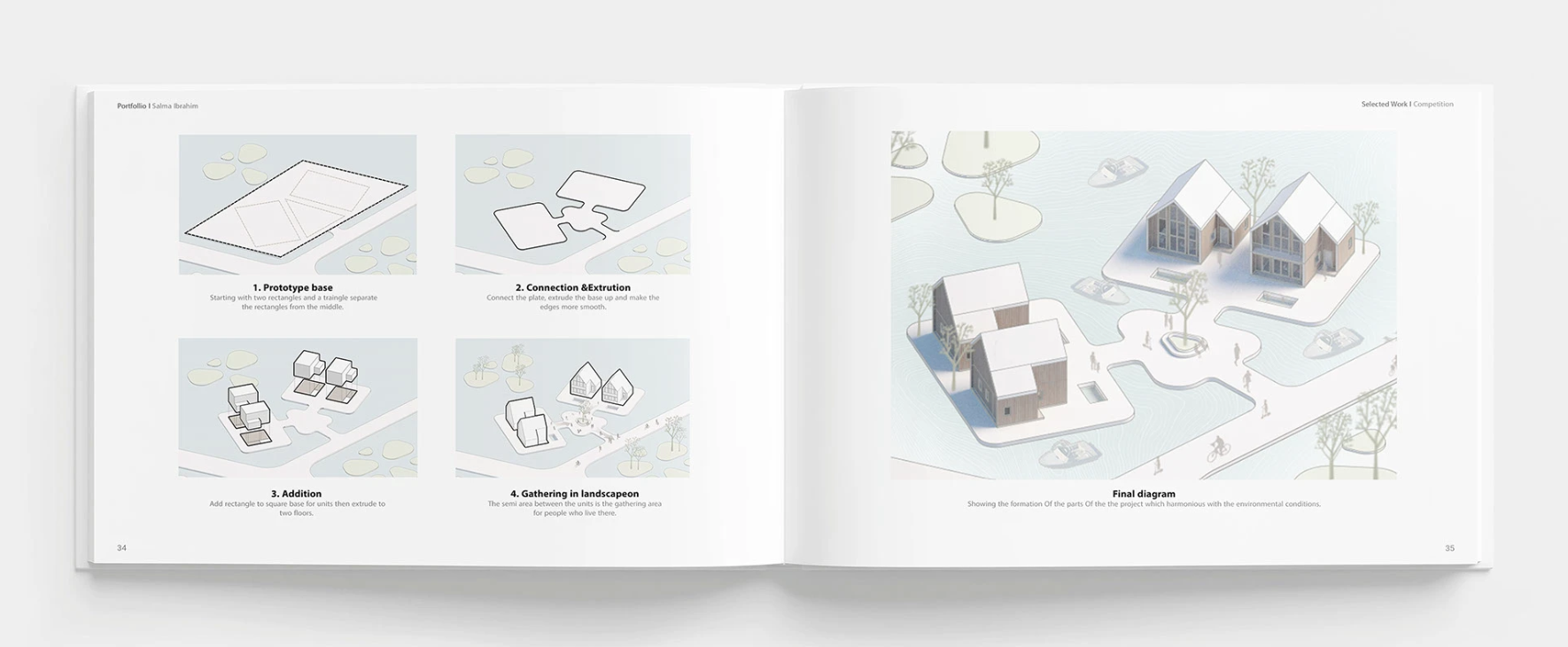
Image Source: Salma Ibrahim,Issue
2. Structure Projects Like Case Studies, Not Slides
The biggest mistake students make? Dumping visuals with no narrative.
Instead, treat each project like a short case study. Use this flow:
- Title & Context (Academic/competition/freelance? Solo/team?)
- Concept & Research (Site study, sketches, moodboard, diagrams)
- Design Development (Plans, sections, models, iterations)
- Final Output (Renderings, technical sheets, walkthroughs)
- Learnings (1–2 lines)
Pro Tip: Start strong. Your first project should always be your best. Or the most relevant to the application.
Display Suggestion: From Kaarwan’s Architectural Thesis Masterclass, pick one design sheet showing concept evolution, not just the polished result.
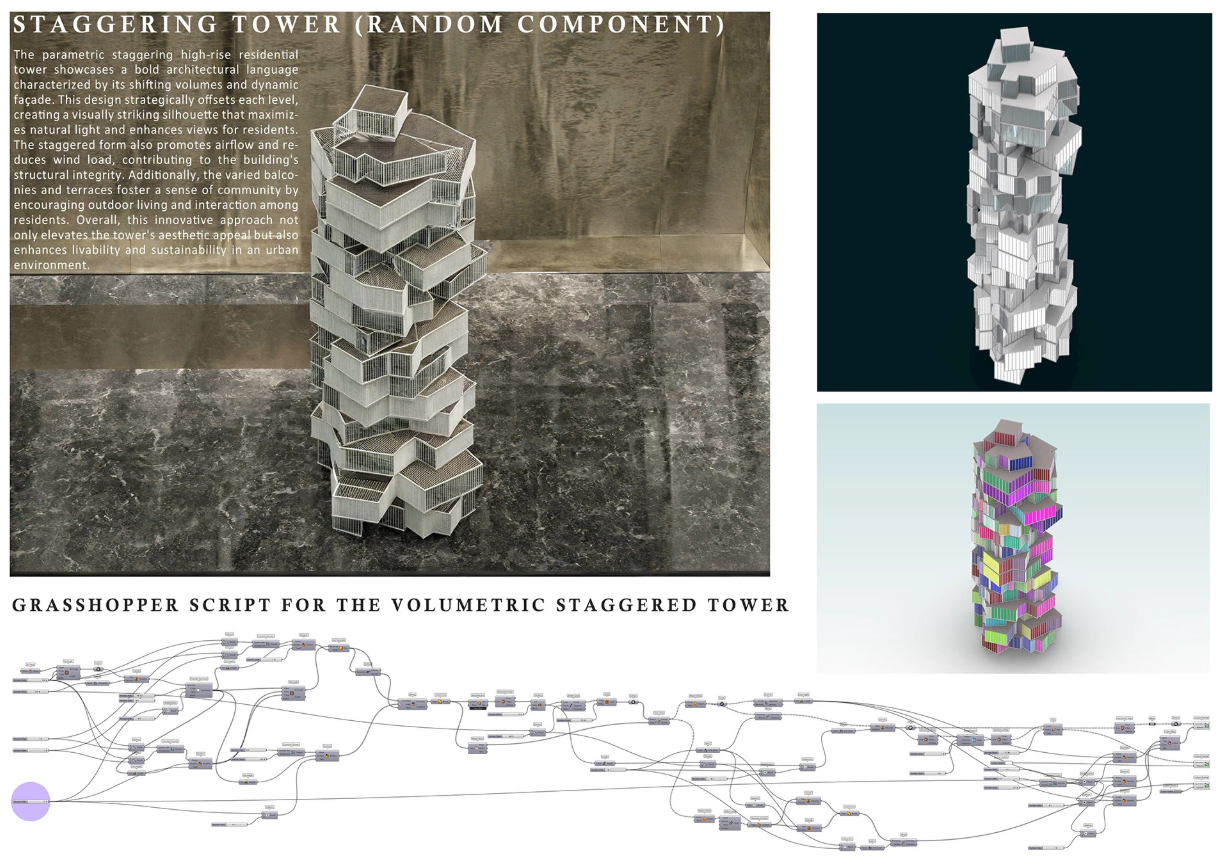
Image Source: Kaarwan Learner Portfolio -Ananya Biswas, from Computational Design Course (Rhino+Grasshopper + other plugins)
3. Let Your Skills Speak — Silently
You might know Rhino, Grasshopper, Revit, Enscape, Photoshop… but don’t just list tools — show them in action.
Skills & Portfolio Examples
| Skill | What to Show | Course Suggestion |
|---|---|---|
| Parametric Design | Algorithmic iterations, exploded axon diagrams | Parametric Bootcamp |
| Rendering | Before/after comparisons, post-production layers | Rendering & Post-Production |
| Portfolio Layout | Typography, whitespace, page balance | Portfolio Masterclass |
| Technical Drafting | Wall sections, detailed construction | Working Drawings Masterclass |
Visual Suggestion: Show a page that includes a Grasshopper workflow next to the resulting form. It’s a great visual explainer.
Use icons for software tools subtly on the footer or cover, but don’t clutter.
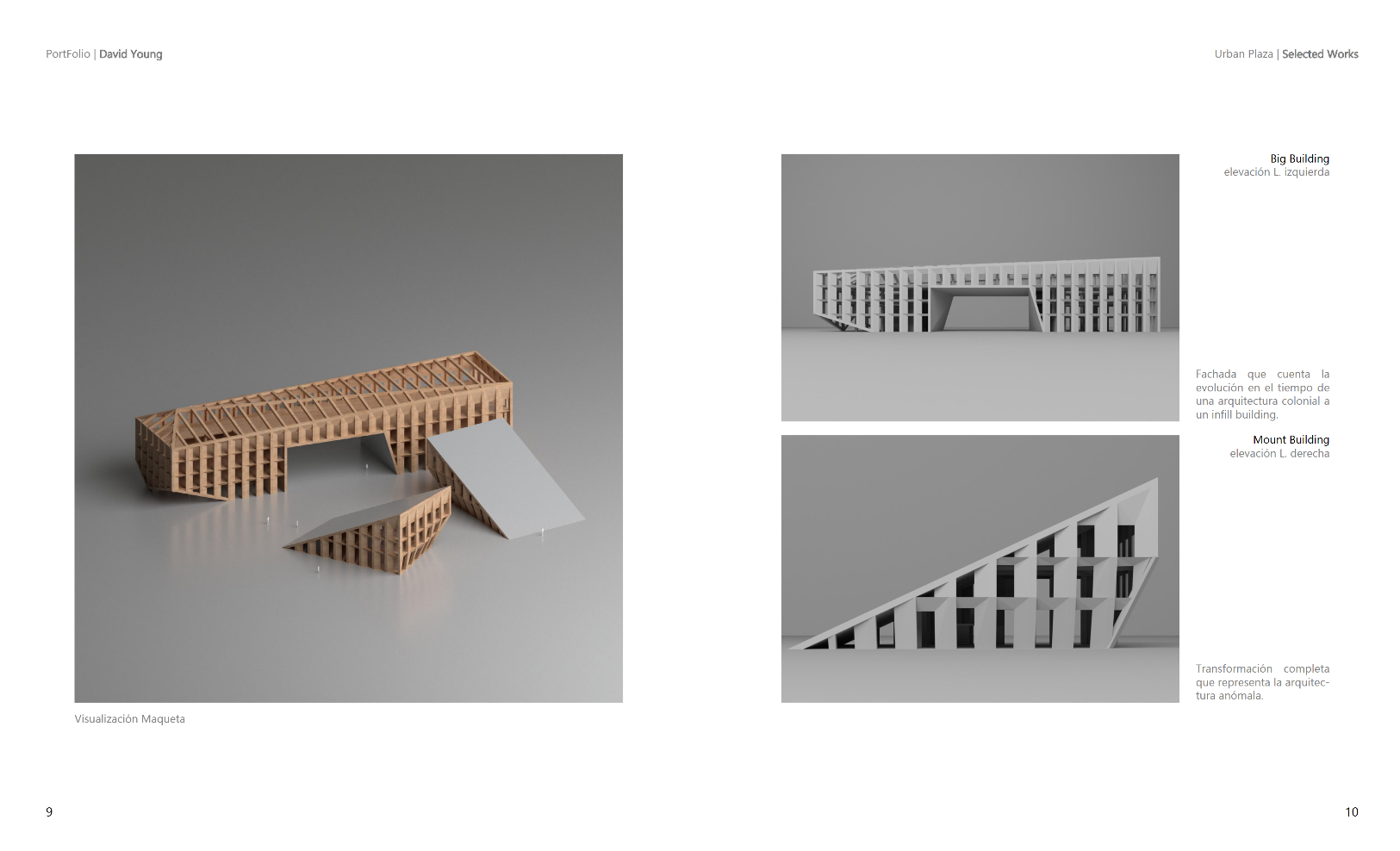
Image Source: David Young, Issue
4. Design the Portfolio Like a Designer
If your portfolio looks clumsy, your work feels clumsy — even if it’s brilliant.
Here’s what works in 2025:
- One font family, max two weights
- A consistent grid (look up baseline grid in InDesign)
- Whitespace is power — don’t fear it
- Use light grey lines or overlays for a clean frame
Use spreads for complex projects. One page for intro, one for process, one for outputs. Don’t rush.
Pro Tip: A3 landscape reads beautifully both on screen and in print. Stick to PDF under 15A
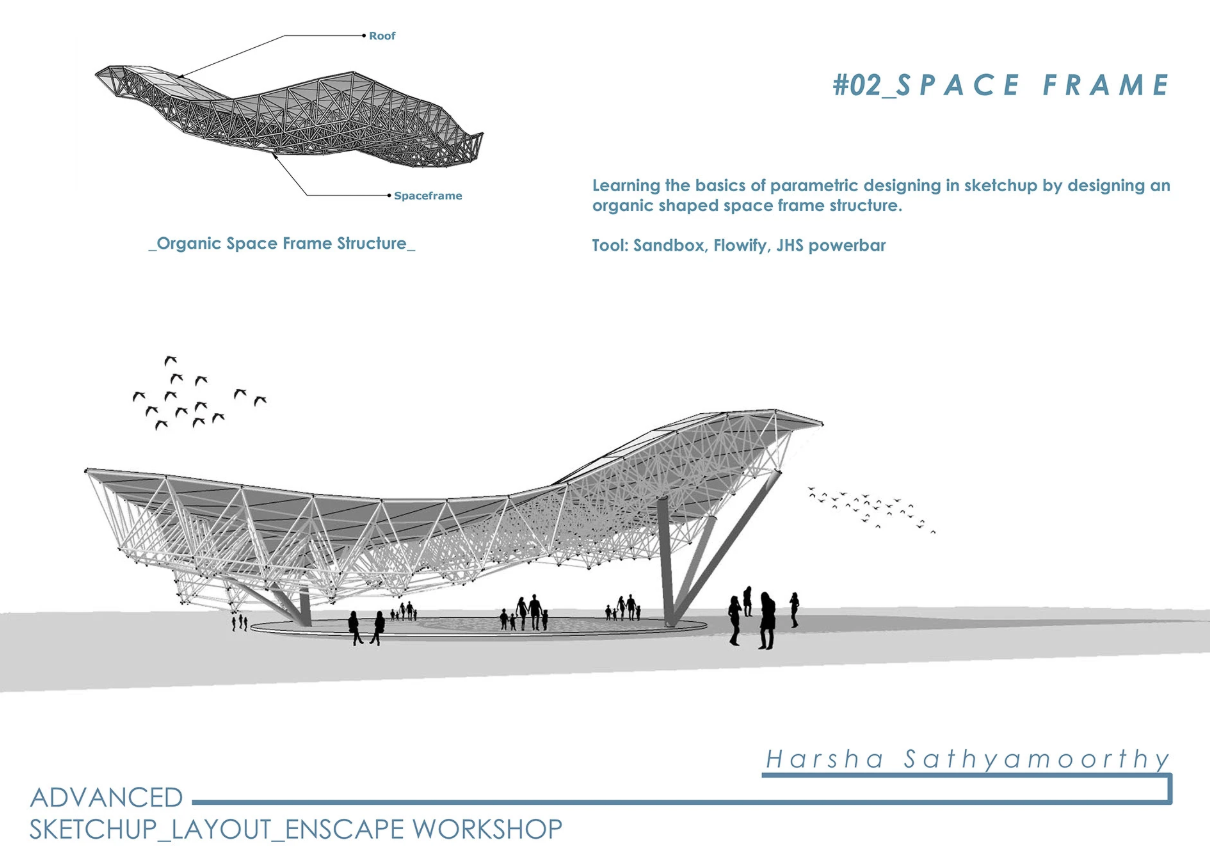
Image Source: Kaarwan Learner Portfolio, from Advanced SketchUp Modelling and Lumion Visualisation Course. By Harsha Sathyamoorthy
5. What to Include — And What to Leave Out
Must-Haves:
- 3–5 detailed projects (academic or personal)
- 1 independent or passion project
- Visual resume or bio (last or first page)
- Cover + Contact Info
Avoid:
- Unedited screenshots from SketchUp
- Projects with no captions or context
- AutoCAD drawings with all layers visible
- Cluttered collage-style pages
Kaarwan Tip: If you’ve taken the Rendering & Post-Production course, showcase a raw model, post-processed render, and breakdown of Photoshop layers on one spread. This shows visual logic.
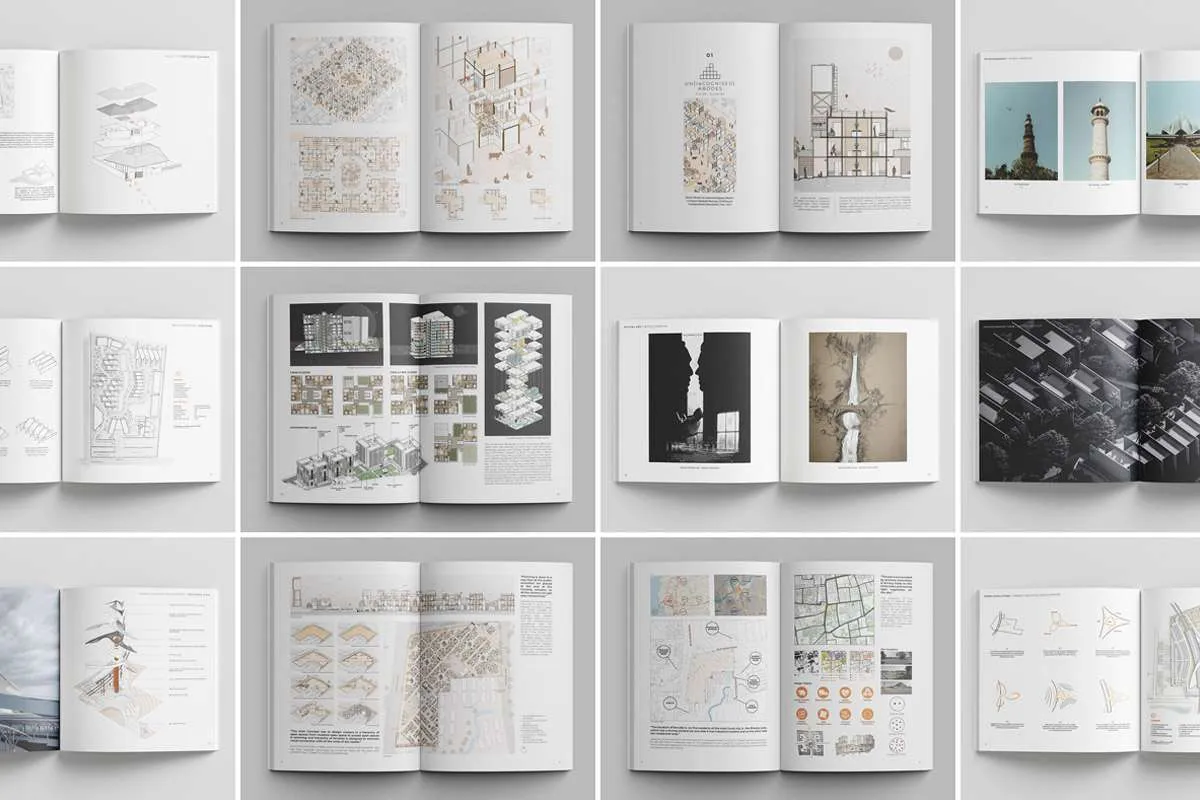
Image Source:
6. PDF, Print & Online — Use All Three (Strategically)
Your PDF portfolio is the most common format — always export as high-res and web-friendly (under 15MB). But don’t stop there.
- Print Portfolio: For interviews or juries, print 4–6 best projects. Bind clean, no spirals.
- Online Version: Use Issuu, Behance, or Notion. Make it skimmable — recruiters spend <90 seconds on first scan.
Add clickable links to your walkthrough videos, 3D model files, or blog articles.
Display Suggestion: Use sample sheets from Portfolio Masterclass final submissions — especially those with modular layouts that show flexibility.
At this point, it’s not just about presenting projects — it’s about showing depth. Whether your strength lies in parametric design, visualisation, BIM workflows, or drafting, let your niche shine through.
7. What Makes a Strong Portfolio Page?
A great portfolio page is not one that has 10 renderings and no breathing space. It’s one that guides the eye.
Page Components:
- Clean header (Project title + role)
- Short intro paragraph (2–3 lines)
- One strong hero image
- 2–3 supporting visuals
- Optional: diagram, model photo, exploded view
Pro Tip: Use hierarchy. If it’s a conceptual project, make the diagram big. If it’s a built project, lead with site photos or construction drawings.
Display Suggestion: Pull one of the competition entries from Kaarwan’s student gallery — especially parametric or urban projects with step-wise layout.
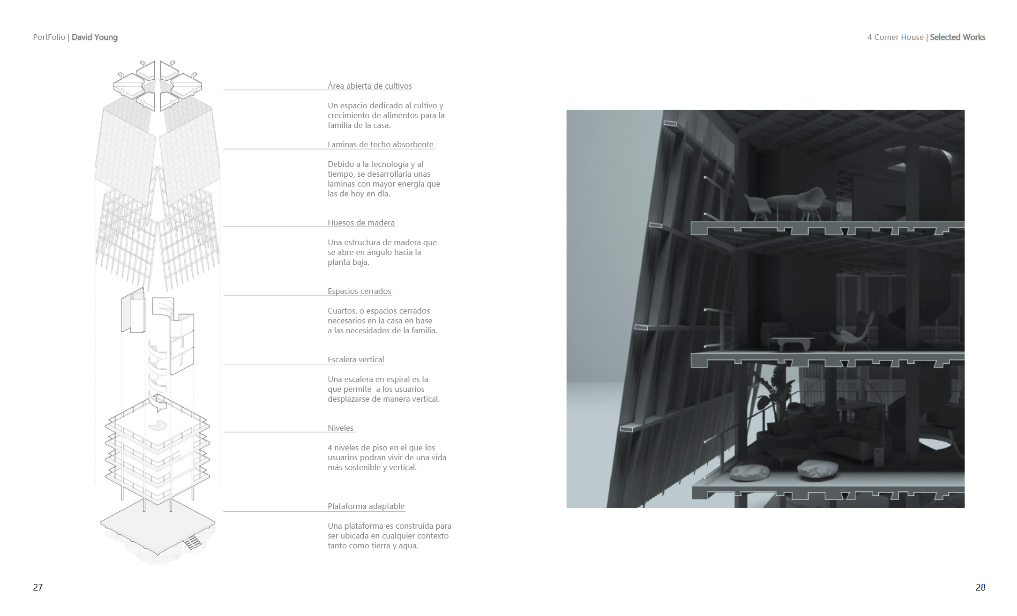
Image Source: David Young, Issue
Final Portfolio Prep Checklist
Before you click send…
- Is your name and contact clearly visible?
- Have you shown how you design, not just what?
- Do your visuals speak your software skills?
- Is the first project your best work?
- Is your file under 15MB and readable on mobile?
- Is there at least one unique project (e.g. Kaarwan outcome)?
- Have you spell-checked everything?
Don’t forget, a weak layout can ruin a strong project. Join a short 1-Day Masterclass on Sheet Layout in Photoshop offered by Kaarwan to confidently work with layouts if you use Photoshop for layout.
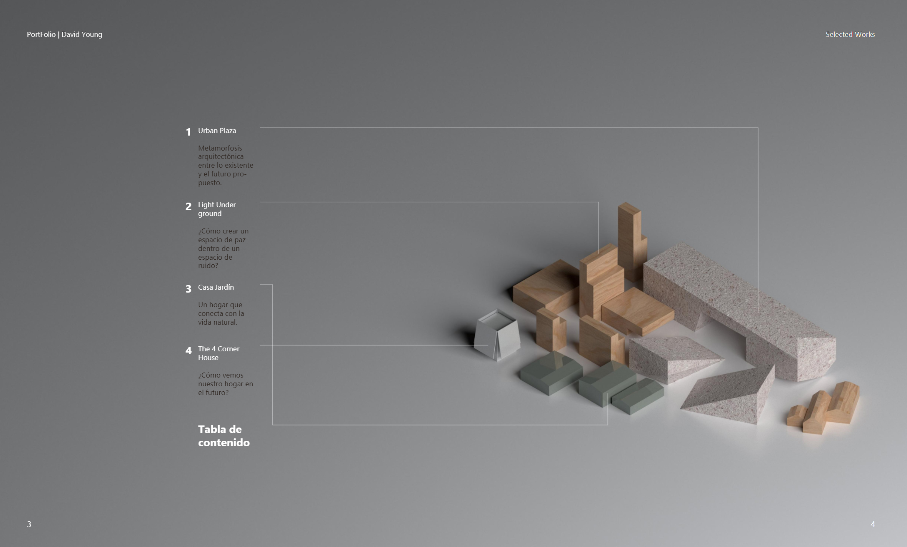
Image Source: David Young, Issue
Don’t Show Everything. Show the Right Things.
You don’t need to include every semester, every drawing, or every certificate. A great portfolio is not a scrapbook — it’s a curated narrative.
Focus on 3–5 strong projects. Tell their story. Let each one reflect a different facet of your skill.
And if you’ve done a Kaarwan course? That’s your edge. Whether it’s mastering Grasshopper, learning to render in Lumion, or refining your layout during the Portfolio Masterclass, these outcomes are ready-made highlights. Use them.
1. Showcase Your Best, Not Your Busiest Work
Focus your portfolio on impactful, resolved projects, not just a volume of exercises. Select works that reflect your design ability, clarity of thought, and comfort with tools.
2. Reveal the Journey, Not Just the Destination
Your process matters. Let reviewers see how you think, from initial sketches to software workflows and design pivots. Highlight the evolution of ideas, not just polished results.
3. Tell a Visual Story, Not a Data Dump
Structure your pages to unfold like a story — clear, clean, and engaging. Avoid overloading visuals. Let each spread breathe and guide the viewer from problem to solution.
4. Avoid Common Pitfalls That Undermine Great Work
Too much text, inconsistent layouts, and filler content can turn off reviewers, even if your projects are strong. Keep things curated, cohesive and legible.
Whether you’re applying for internships, competitions or showcasing your skills from a Kaarwan course — your portfolio should reflect intent, not overwhelm. Thoughtful curation always trumps quantity.
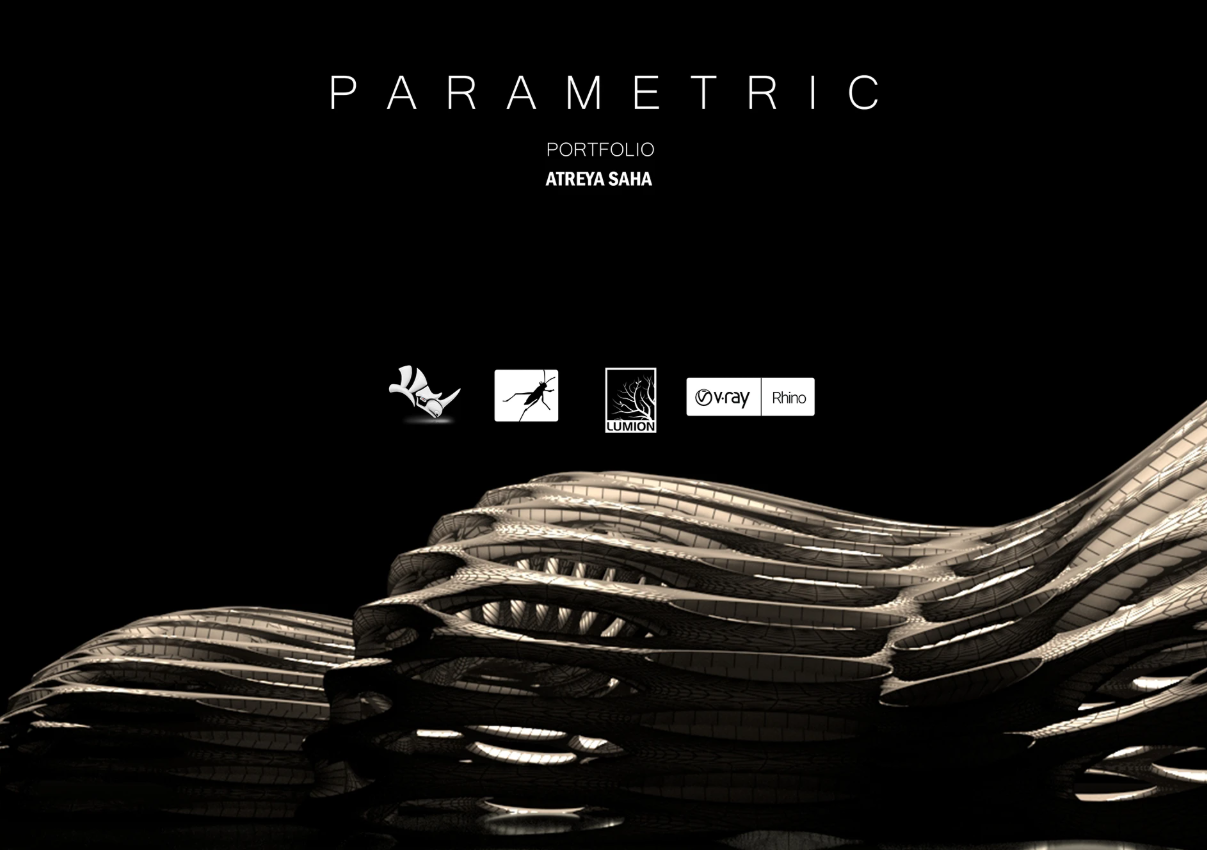
Image Source: Kaarwan Learner Portfolios
FAQs – Portfolio Building for Architecture Students & Professionals in 2025
1. How do I make my architecture portfolio stand out in 2025?
Focus on clarity, storytelling, and intention. Use process-driven layouts, clean typography, and project narratives. Highlight one unique strength per project—like parametric design, visualisation, or technical drafting.
2. How many projects should I include in my portfolio?
Ideally, 3–5 major projects, each well-structured like a case study. Include one independent or passion project to show initiative and personality.
3. Do I need different portfolios for jobs, internships, and master’s applications?
Yes. Tailor each version to its audience. Highlight curiosity and adaptability for internships, professional readiness for jobs, and research/theoretical depth for master's programs.
4. What format should my architecture portfolio be in?
Use all three:
- PDF (under 15MB) for applications
- Print (clean A3, no spirals) for interviews or juries
- Online (Notion, Issuu, Behance) for sharing and visibility
5. What’s the ideal layout for a portfolio page?
Use hierarchy: one strong hero image, 2–3 supporting visuals, short captions, and plenty of white space. Structure the page to tell a clear visual story.
6. Can I include projects done during courses like Kaarwan’s masterclasses?
Absolutely. They’re structured, process-rich, and technically sound—perfect for showing skill evolution, especially in tools like Rhino, Revit, or Photoshop.
To truly stand out, many of our past learners enhanced their portfolios by mastering tools through focused courses—from visualisation and rendering to computational design, BIM, and advanced modelling workflows. Check out our past learners' portfolios here. Scroll through different tabs to explore various niche portfolios.
7. Should I list all my software skills?
No—show them. Instead of long lists, embed your software fluency through the visuals: parametric diagrams, post-production layers, technical details, or 3D forms.
8. What are common mistakes to avoid in a portfolio?
- Overloading visuals without narrative
- Inconsistent layout or typography
- AutoCAD sheets with all layers turned on
- Projects with no context or learnings shared
- Using the same version of the portfolio everywhere
9. Is it okay to include academic or unbuilt projects?
Yes. As long as they’re clearly explained and showcase strong design thinking, academic work is valuable, especially when it's process-driven and software-rich.
10. How often should I update my architecture portfolio?
Update every 6–12 months or after a major project. Keeping it fresh reflects professional growth and responsiveness to new tools or styles.




.png)