


The transition from 2D sketches to 3D visualization can be truly transformative in the field of architectural design. How can designers effectively communicate their vision? The answer lies in creating realistic renders using powerful tools like Vray. This write-up will help you learn about the significance of architectural renderings and how they elevate design projects, while also exploring how a 3D visualization course can enhance your skills as a 3D visualiser.
Understanding Realistic Renders
Realistic renders play an essential role in architecture. They bring designs to life and enable clients to visualize spaces before construction begins. This practice significantly reduces misunderstandings and miscommunications between designers and clients.
Features of Realistic Renders
- Enhanced Visualization: By using realistic imagery, clients can better understand the scale, lighting, and textures of a proposed design. This clarity improves decision-making.
- Increased Client Engagement: Visual representations stimulate client interest and emotional connection, leading to more meaningful discussions about the project.
- Effective Marketing Tool: High-quality architectural renderings serve as excellent marketing materials, showcasing your design prowess to potential clients.
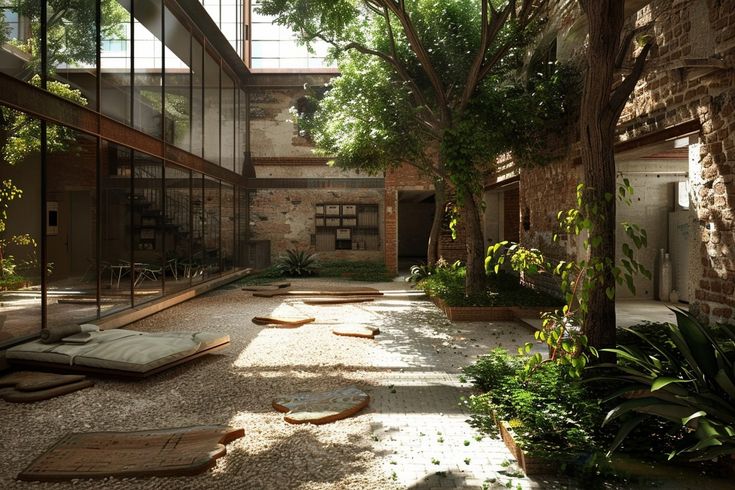
3D rendering_©illustrarch.com
The Power of Vray in Architectural Visualization
Vray is a leading rendering engine favored by architects and designers. Its advanced features streamline the rendering process, making it easier to produce stunning visualizations.
Key Features of Vray
- Real-time Rendering: Vray’s real-time capabilities allow designers to make instant adjustments, enabling a faster design process.
- Photorealistic Output: With advanced lighting and material options, Vray delivers breathtakingly realistic images that capture the essence of your design.
- Versatility: Vray works seamlessly with various design software, making it a flexible choice for many designers.
Designers can integrate Vray into their workflow to enhance the quality of their visual outputs. For instance, a firm that specializes in residential architecture used Vray to create a lifelike representation of a home, leading to a 30% increase in client approvals.
Transitioning from 2D to 3D
Transitioning from 2D to 3D requires understanding both the technical and artistic aspects of design. Here’s how you can make the shift effectively:
Essential Steps to Transition
- Invest in Learning: Enrolling in a 3D visualization course can provide foundational knowledge and advanced techniques.
- Practice Regularly: Regular practice with rendering software like Vray is essential. Create various projects to refine your skills.
- Seek Feedback: Sharing your work with peers can provide valuable insights and improvements.
- Stay Updated: The field of 3D visualization is constantly evolving. Keeping abreast of new trends and technologies is vital.
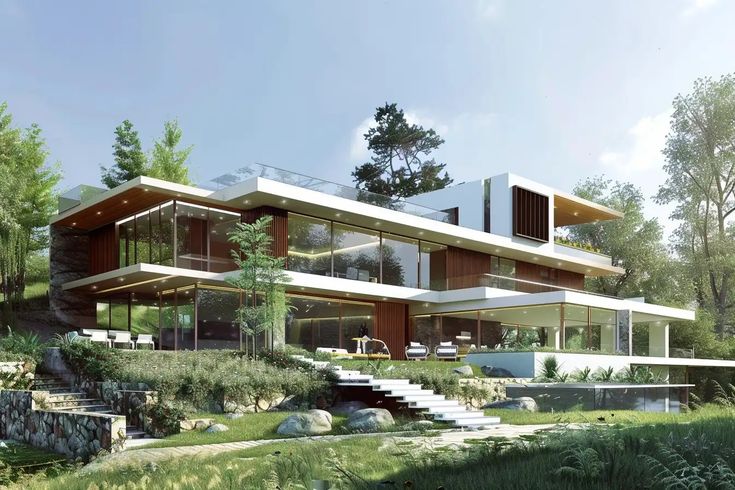
3D rendering_©illustrarch.com
The Role of a 3D Visualiser
A skilled 3D visualiser plays a critical role in the architectural design process. Their expertise in creating lifelike images helps bridge the gap between concepts and reality.
Responsibilities of a 3D Visualiser
- Model Creation: Developing accurate 3D models based on 2D plans.
- Rendering: Utilizing software like Vray to produce high-quality images.
- Collaboration: Working closely with architects and designers to ensure the visualization aligns with the design intent.
- Client Presentations: Presenting renderings to clients to facilitate understanding and approval.
According to recent industry reports, the demand for skilled 3D visualisers has increased by over 25% in the last two years. This trend highlights the growing recognition of their value in the architectural sector.
Conclusion
Elevating your designs with realistic renders in Vray is a powerful way to enhance communication, engagement, and marketing. By transitioning from 2D to 3D, you unlock new possibilities for your architectural projects. A solid understanding of Vray, coupled with training in a 3D visualization course, can significantly boost your capabilities as a 3D visualiser. Embrace these tools and techniques to take your designs to the next level.
Elevate your architecture career! Sign up for our hands-on Visualisation & Rendering Course and learn to create stunning, realistic renders for your projects. Start today!
Visit the Kaarwan website for more insights!
FAQs
1. How do I make my 3D render more realistic?
To enhance realism, focus on accurate lighting, use high-quality textures, and incorporate details like reflections and shadows. Pay attention to the scene's context and scale to make it relatable.
2. How do I get high quality renders in V-Ray?
Ensure you use high-resolution textures and adjust V-Ray settings for higher quality outputs. Experiment with lighting settings and enable features like Global Illumination for more realistic effects.
3. What is 3D realistic rendering?
3D realistic rendering involves creating lifelike images from 3D models. It uses advanced techniques like lighting, texturing, and shading to simulate how objects would appear in the real world.
4. Which is more realistic, V-Ray or Lumion?
V-Ray generally provides higher realism due to its advanced rendering capabilities and detailed materials. Lumion excels in speed and real-time rendering but may not match V-Ray in photo-realism.
5. How can I improve my render quality?
To improve render quality, use higher resolution settings, fine-tune lighting and materials, and reduce noise with proper sampling techniques. Regular practice and feedback also help enhance your skills.
6. How to make V-Ray render sharper?
To achieve sharper renders in V-Ray, increase the resolution and adjust the Anti-Aliasing settings. Use higher settings for texture filtering and ensure your camera settings are properly configured.
7. What is V-Ray best for?
V-Ray is best for creating realistic architectural visualizations, product designs, and animations. Its robust features make it ideal for professionals seeking high-quality imagery.
8. How do I increase render speed?
To increase render speed, lower the quality settings, reduce the resolution, and optimize your scene by simplifying complex models and textures. Using a more powerful computer can also help.
9. What is the best render resolution?
The best render resolution depends on the intended use. For web use, 1920x1080 (Full HD) is standard, while print materials may require 300 DPI or higher resolutions for clarity.
10. How do you make a perfect render?
A perfect render combines high-quality textures, proper lighting, and detailed models. Thoroughly plan your scene, adjust settings for quality, and iteratively refine your work based on feedback.




