


Every year, internship season creeps up on architecture students like a deadline they almost forgot. Studios are flooded with portfolios. And let’s face it: a line drawing of a floor plan isn’t enough to make your work pop anymore. Everyone’s applying with mood boards, crisp renders, and walkthroughs. So, how do you stand out without fancy tools or a massive project list?
Simple: you make your ideas look alive. You show them not just what you designed, but how it feels to step inside your space. That’s where SketchUp + Lumion come in. Together, they’re a powerhouse that lets beginners create compelling, visually rich architecture scenes that speak for themselves.
This blog is your friendly guide on how to use these tools to give your portfolio an emotional edge this internship season.
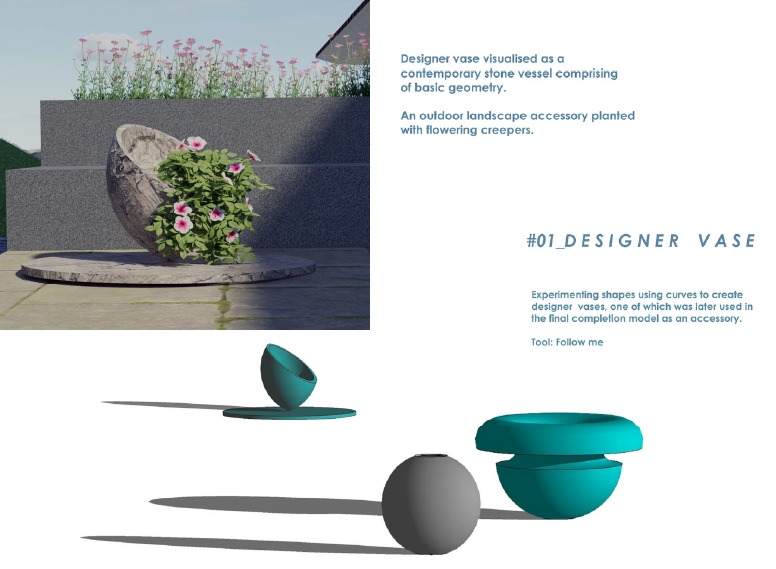
Image Source: Kaarwan Learner Portfolio, from Advance SketchUp and Lumion Course
1. What Makes a Portfolio Stand Out in 2025?
Gone are the days when academic sheets and design process were enough. Recruiters and architects now look for:
- Visual clarity: Can they grasp your design in a glance?
- Emotional impact: Does your render evoke mood or meaning?
- Speed + skill balance: Can you work smart and fast with tools?
Even if you're applying for a small firm or a research-based internship, presentation matters. SketchUp and Lumion help you package your ideas into clear, inviting visuals that don’t need too much explaining.
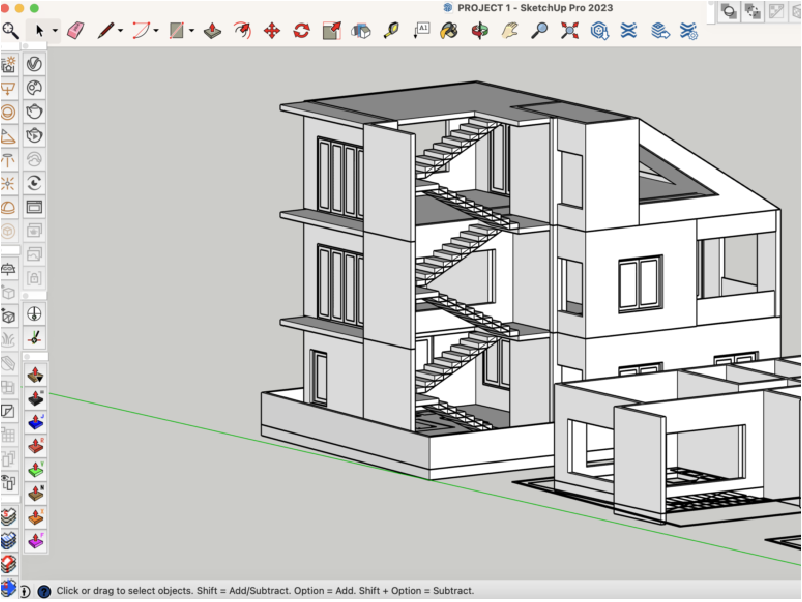
Image Source: Design world
2. The Hidden Problem: Why Modelling Always Gets Delayed
Let’s talk about what no one really says out loud in design school:
- You get design redos and rejections? Of course.
- Your concept changes last minute? Happens to everyone.
- You leave the 3D modelling until the end? That’s... most of us.
Because let’s face it: modelling feels slow. Tedious. You work on a form, and suddenly the design changes again. So you push SketchUp aside until the final review. Or worse, you submit something half-baked, because the software didn’t feel worth fighting with.
But here’s the shift: your frustration might not be with the idea. It might be with how you’re modelling it. And that’s fixable.
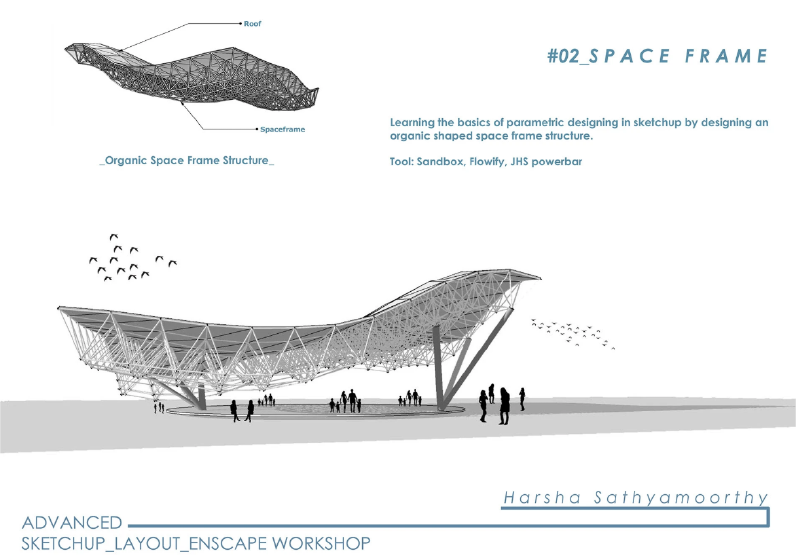
Image Source: Kaarwan Learner Portfolio, from Advance SketchUp and Lumion Course
3. What You Can Do Instead
There are two powerful paths you can take to stop struggling with modelling and start using it to your advantage:
A) Learn Advanced Revit (for Controlled, Parametric Workflows)
If your design changes often, use a software that’s built to handle change.
- Modify floor levels? Revit updates everything.
- Change a window type? It reflects everywhere.
- Need to coordinate sections, plans, and views? Done.
Revit gives you structure. It’s great for architecture students working on housing, institutes, or commercial design with detailed documentation needs.
_1751872454155.png)
Image Source: Kaarwan Learner Portfolio, from Advance SketchUp and Lumion Course
B) Explore Advanced SketchUp (With Plugins + Speed Hacks)
Still love freedom? Stay with SketchUp — just upgrade how you use it.
- Use Fredo Tools to create curves and surfaces quickly
- Generate staircases and jalis with plugins in seconds
- Speed up your workflow with keyboard shortcuts and Live Components
- Model everything from planter pots to kitchen systems and even parametric designs
Many students start seeing results when they stop using SketchUp like MS Paint and start using it like a smart modelling interface.
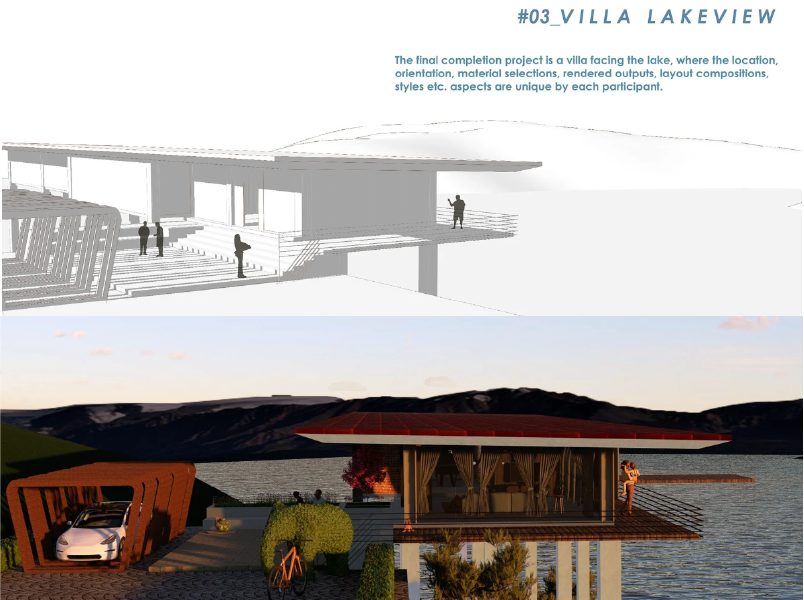
Image Source: Kaarwan Learner Portfolio, from Advance SketchUp and Lumion Course
4. Real Portfolio Projects That Started Small (But Left a Big Impact)
From Kaarwan’s student portfolio base, here are examples of what real learners created:
- Tiled planter pot for a landscape project
- Custom staircase designs using basic plugins
- Kitchen models ready for interior firms
- Intricate jali facades and shading devices
- Parametric shapes that mimic Rhino, built using plugins
What started as small components became highlights in student portfolios. These weren’t huge projects, but they told a clear story: "I know how to build, detail and render."
See some of their work here → Kaarwan Student Portfolio
_1751872476105.png)
Image Source: Kaarwan Learner Portfolio, from Advance SketchUp and Lumion Course
5. Market Trends: Where These Skills Are Actually in Demand
- Kitchen + Modular Furniture Firms want SketchUp pros
- Retail and Commercial Interiors need quick 3D mockups
- Contractors and Developers look for fast visualisers
- Design & Build Studios love plug-and-play workflows
- Parametric Facade Designers need those plugin tricks
And many of them don’t even expect perfect documentation—they just want a solid, editable model and a render that helps them explain the idea.
If you can model fast and render clearly, you’re not just showing design—you’re solving problems.
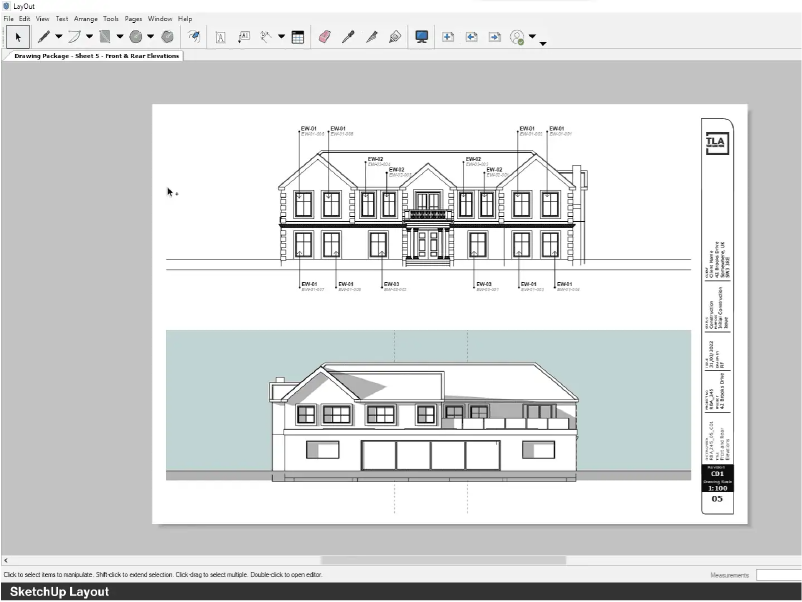
Image Source: SketchUp Layout
6. How to Start Learning Without Overwhelm
You don’t need to know everything. Just start with:
- One clean model
- One render with real light
- One small plugin workflow
Master that, and you’ll build confidence in how to use your tools your way.
And whether it's Kaarwan's course or free community resources, what's important is consistency. Your portfolio doesn't need more content. It needs clearer skills.
Most picked paired courses, picked by learners at Kaarwan:-
Advanced SketchUp Modelling with Lumion Visualisation(Tool: SketchUp, Lumion, Style Builder, Layout)
Visualisation and Rendering Courses(Tools: AutoCAD, SketchUp, Photoshop, Lumion, V-Ray, Adobe After Effects)
Explore past learner portfolios, meet your mentors, and preview the 4-week course curriculum designed to help you build a confident, standout portfolio.
Conclusion:
You’re Not Behind. You Just Need the Right Tools
If you feel like you're always late with your modelling, tired of redoing things, or frustrated because your design doesn’t come across well, you’re not alone.
But it’s not a design problem. It’s a workflow problem. And the good news? You can fix that with the right tools and tricks.
Explore Revit if you want structure. Dive deeper into SketchUp if you want freedom. Use Lumion to bring life into your visuals.
Start small. Render smarter. And make this internship season one where your work actually speaks for you.




.png)