

.jpeg)
In the world of architectural and design visualisation, two tools from Adobe’s Creative Cloud consistently stand out: Photoshop and Illustrator. For professionals and students within the AEC (Architecture, Engineering, and Construction) sector, knowing when to use one over the other can save significant time, elevate the quality of presentations, and streamline workflows. This blog will explore the key differences between these two platforms, practical scenarios in which each should be applied, and crucially, when you should switch from Photoshop to Illustrator within your workflow.
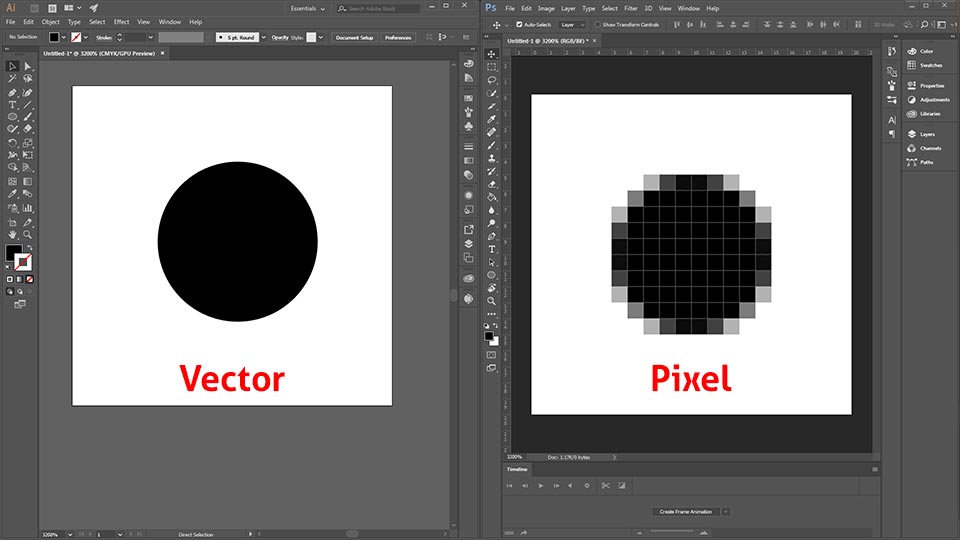
Photoshop vs Illustrator: The Basics
Before diving into workflows, it is vital to understand the core difference between Photoshop and Illustrator:
- Photoshop is a raster-based programme. It works with pixels, making it perfect for photo editing, image manipulation, adding textures, shadows, and photorealistic renderings.
- Illustrator is a vector-based tool. It excels in creating scalable graphics such as diagrams, infographics, icons, line drawings, and crisp illustrations that remain sharp at any scale.
SEO Keywords: Photoshop vs Illustrator for architects, raster vs vector in design, architectural diagrams in Illustrator, Photoshop rendering tips.
Why Architects Use Photoshop
Most architectural workflows begin with Photoshop because of its powerful capabilities to:
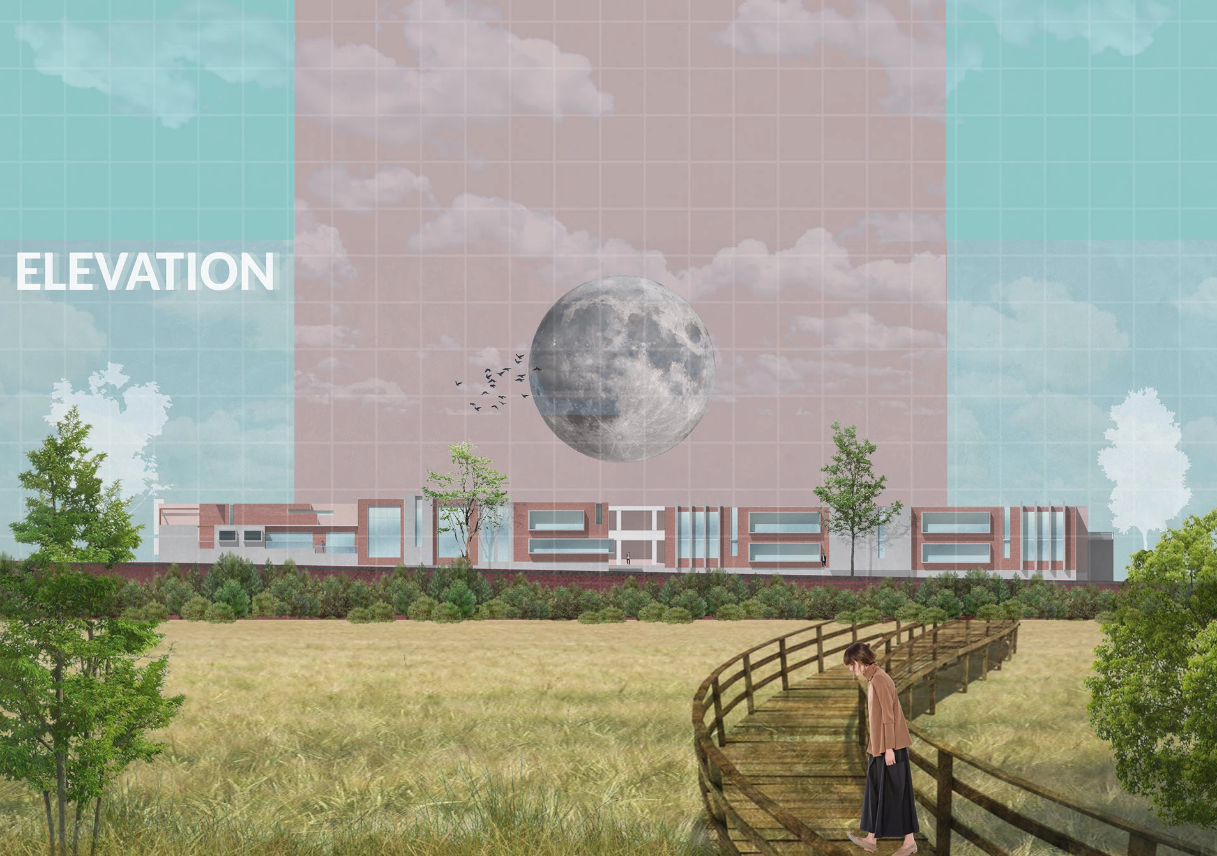
- Enhance renderings: Adding realism through textures, shadows, and lighting effects.
- Collage landscapes: Merging site photographs with digital renderings for contextual visuals.
- Post-process visuals: Cleaning CAD exports or refining 3D model images.
For example, when rendering a site plan, Photoshop allows you to apply vegetation textures, water effects, or adjust contrast and brightness with precision. It is the go-to tool for producing polished, atmospheric imagery that appeals to both clients and juries.
Why Architects Use Illustrator
While Photoshop offers atmospheric quality, Illustrator excels in clarity and precision. Architects and designers often switch to Illustrator to:
- Diagram concepts: Ideal for abstract diagrams, flow charts, or zoning graphics.
- Clean linework: Exporting line drawings from CAD or Revit for clean, vector-based outputs.
- Add annotation and typography: Illustrator’s type handling is more sophisticated than Photoshop’s, ensuring crisp labelling and scalable infographics.
For example, if you need to produce a presentation board for a design critique, Illustrator provides the crispness for diagrams and text that Photoshop alone cannot.
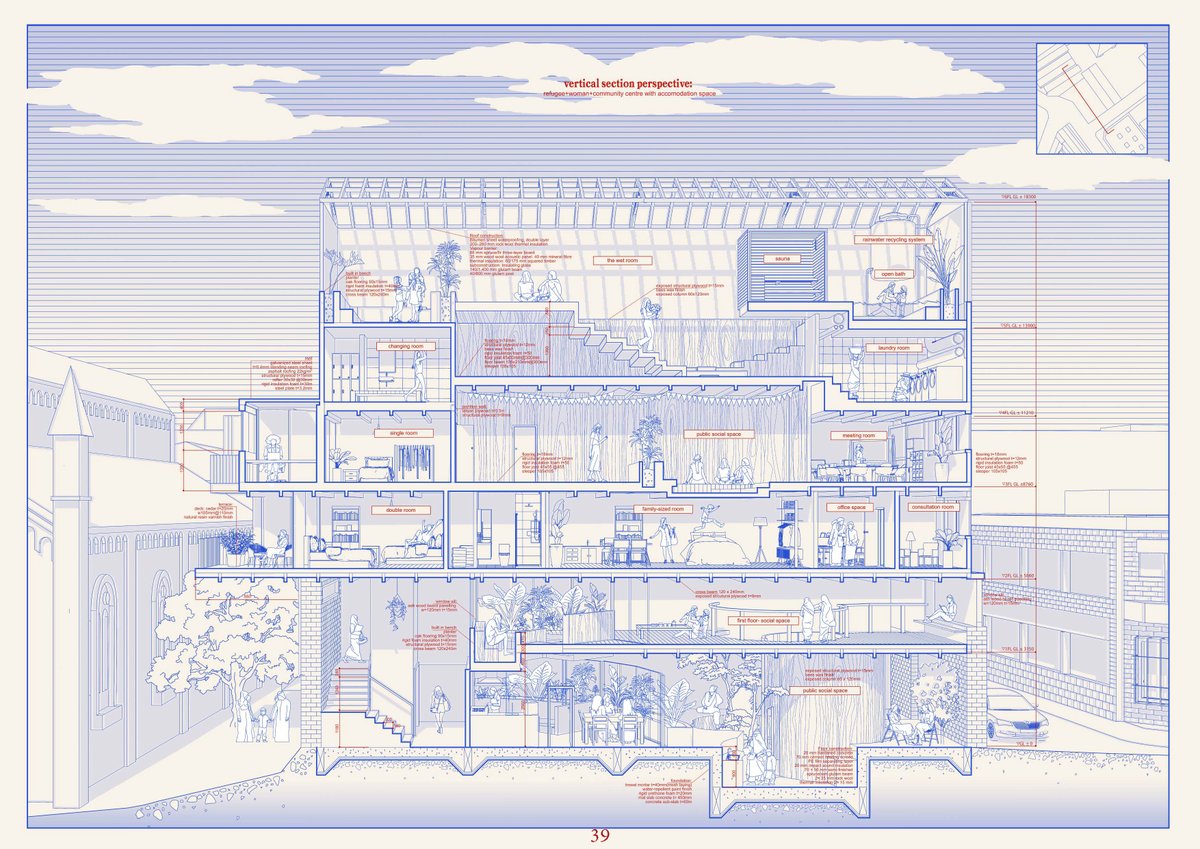
Image Source: X.com
When to Switch - Key Workflow Scenarios
The decision to move from Photoshop to Illustrator is not about choosing one over the other but recognising when the strengths of Illustrator outweigh the raster-based approach of Photoshop. Here are some common situations:
1. From Textured Plans to Clean Diagrams
- Start in Photoshop: Apply textures, colours, and shading to CAD base drawings.
- Switch to Illustrator: Overlay vector linework, add labels, and create clean, legible diagrams.
Query: Which software is best for landscape plan rendering: Photoshop or Illustrator?
2. From Concept Collages to Infographics
- Start in Photoshop: Build conceptual collages with images, site photos, and textures.
- Switch to Illustrator: Add arrows, zoning graphics, or abstract explanatory diagrams.
Query: When should I use Illustrator for diagrams instead of Photoshop for collages?
3. From Photorealism to Presentation Boards
- Start in Photoshop: Produce atmospheric 3D renders or montages.
- Switch to Illustrator: Assemble these into presentation boards with scalable text, icons, and consistent graphic standards.
Query: Photoshop vs Illustrator for architectural presentation boards?
Complementary Workflow: Using Photoshop and Illustrator Together
The most effective architectural visualisations rarely rely on one tool alone. Instead, Photoshop and Illustrator complement each other beautifully. Here’s a simple workflow structure:
- Model Export: Export line drawings or renderings from CAD/Revit/SketchUp.
- Photoshop: Add textures, shading, shadows, and realism.
- Illustrator: Clean up linework, overlay vector graphics, add annotation.
- InDesign: (Optional) Compile final boards and presentations.
This method ensures you get both the richness of raster effects and the clarity of vector graphics.
Common Mistakes to Avoid
- Using Photoshop for diagrams: While possible, diagrams made in Photoshop often look blurry when scaled.
- Overloading Illustrator with images: Large raster files in Illustrator slow down performance; keep heavy photo editing in Photoshop.
- Skipping Illustrator for annotation: Text in Photoshop tends to pixelate or look heavy; Illustrator provides superior typography control.
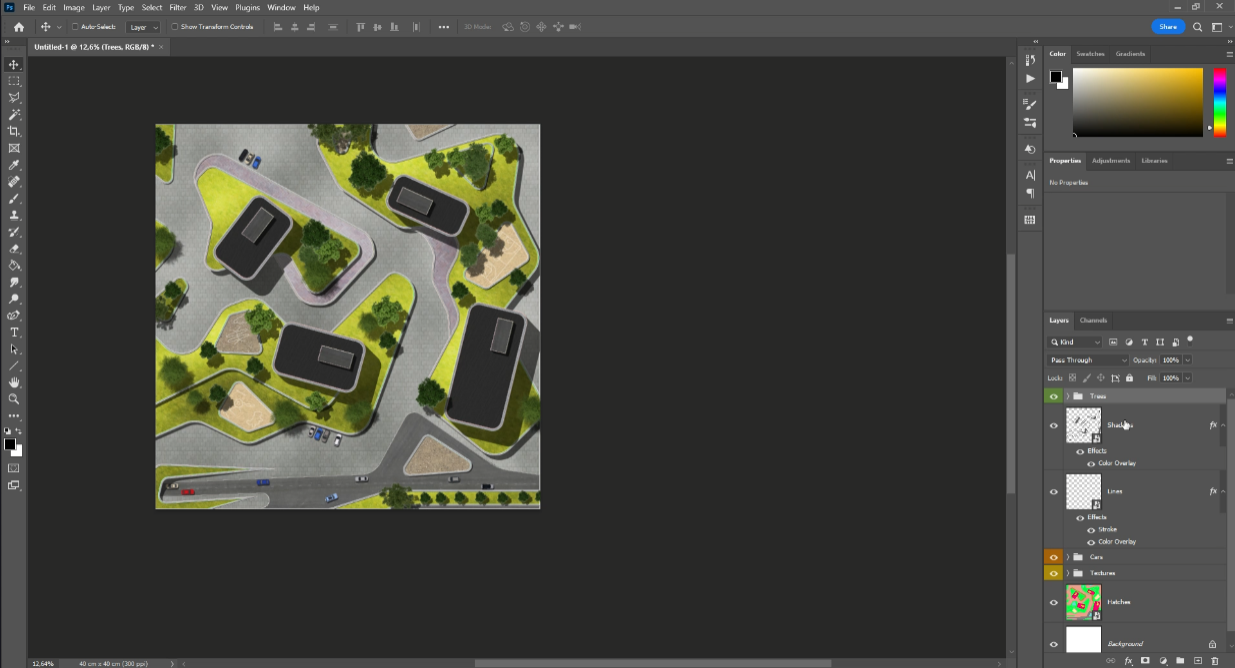
Image Source: Johannes Blum, Udemy
Tips for a Smooth Transition
- Think in Layers: Both Photoshop and Illustrator use layers, so maintain organised files for easier switching.
- Use Smart Objects: Place Photoshop images in Illustrator as linked Smart Objects to retain editability.
- Learn Keyboard Shortcuts: Efficiency comes from switching tools quickly.
- Save in Compatible Formats: Export from Photoshop as TIFF or PSD to retain quality when importing into Illustrator.
Learning Path for Students
If you are a student or early-career professional wondering where to start:
- Begin with Photoshop: It is intuitive and immediately enhances your renders.
- Progress to Illustrator: Learn vector workflows for diagrams, layouts, and boards.
- Finally, combine both tools within InDesign: To structure presentations cohesively.
This path mirrors professional workflows and equips you with the right tools for every stage of design communication.
Query: Should I learn Illustrator first or Photoshop first as an architecture student?
Conclusion: Striking the Balance
The choice between Photoshop and Illustrator is not a battle—it is about balance. Use Photoshop when you want atmosphere, texture, and depth. Switch to Illustrator when you need clarity, scalability, and crispness. The real strength lies in knowing when to transition between the two, ensuring your architectural visuals communicate effectively, whether they are photorealistic renderings or conceptual diagrams.
By mastering both, architects and students in the AEC field can produce professional, versatile, and polished presentations that resonate with clients, juries, and colleagues alike.
FAQs
Q1: Should architects use Photoshop or Illustrator for diagrams?
Illustrator is better for diagrams as it produces crisp, scalable graphics, while Photoshop is better for textures and rendering effects.
Q2: Can I use only Photoshop for my architectural presentations?
Yes, but combining Photoshop with Illustrator will give more clarity, especially for diagrams and typography.
Q3: How do I import Photoshop files into Illustrator?
Save your Photoshop file as a PSD or TIFF and place it into Illustrator as a linked Smart Object for flexibility.
Q4: Which should I learn first as a student, Photoshop or Illustrator?
Begin with Photoshop for rendering, then progress to Illustrator for diagrams and annotation.
Q5: Is InDesign necessary if I already use Photoshop and Illustrator?
Not always, but InDesign is highly recommended for assembling boards, booklets, and multi-page presentations.




.png)