


Designers and developers often come from different professional spheres but share a common goal: delivering exceptional digital experiences. Collaboration between these two roles is crucial for ensuring that creative visions are translated into functional and user-friendly products. However, bridging the gap can sometimes be challenging. This blog will explore practical tips and strategies for fostering seamless collaboration between designers and developers.
Why Collaboration Between Designers and Developers Matters
Collaboration is the cornerstone of any successful design and development project. Without alignment, creative ideas can get lost in translation, leading to delays, inefficiencies, or products that fail to meet user needs. Here’s why collaboration matters:
- Alignment of Goals: Ensures both teams are working towards the same objectives.
- Better Problem-Solving: Combines creative and technical perspectives for more innovative solutions.
- Increased Efficiency: Streamlines workflows and minimizes miscommunication.
- User-Centric Products: Merges usability and functionality for a cohesive final product.
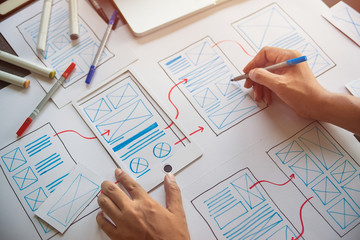
Steps to Build Better Collaboration
1. Establish Clear Communication Channels
Communication is the bedrock of collaboration. Designers and developers often use different jargon, which can lead to misunderstandings. Use tools like Slack, Microsoft Teams, or Trello to maintain clear and ongoing communication throughout the project lifecycle.
Pro Tip: Conduct regular stand-ups or sync meetings to address any blockers promptly.
2. Involve Developers Early in the Design Process
Getting developers involved at the concept stage allows them to understand the design vision and offer technical insights. Early collaboration ensures feasibility and prevents the need for major revisions later.
Example: If you’re designing an animation-heavy interface, developers can advise on the technical limitations and alternatives.
3. Use Collaborative Tools
Modern design tools have made it easier to collaborate in real time. Platforms like Figma, InVision, and Zeplin bridge the gap by allowing developers to access design assets and specifications effortlessly.
Recommended Tools:
- Figma: Real-time design collaboration.
- Zeplin: For sharing design specs and assets.
- GitHub: Facilitates code collaboration.
4. Speak the Same Language
Designers don’t need to be coding experts, but understanding basic development principles (like CSS or JavaScript) can go a long way. Similarly, developers should grasp the fundamentals of design principles like hierarchy and typography.
How to Achieve This:
- Designers can take introductory coding courses.
- Developers can attend workshops or seminars on design fundamentals.
5. Prioritize Documentation
Documenting design decisions and providing a clear handoff is crucial. Include detailed specifications, use cases, and annotated wireframes to ensure developers have all the information they need.
Checklist for Design Handoff:
- Include pixel-perfect mockups.
- Provide font sizes, color codes, and spacing guidelines.
- Offer interactive prototypes when possible.
6. Foster Empathy and Respect
Both roles are equally critical. Designers should appreciate the technical challenges developers face, and developers should respect the creative processes of designers. Building mutual empathy fosters trust and minimizes conflicts.
7. Iterate Together
Treat iterations as a joint effort rather than isolated tasks. Feedback loops between designers and developers help refine products faster and with fewer errors.
Best Practice: Use agile methodologies where designers and developers collaborate in short sprints to iterate on designs and features.
_1738076530235.jpg)
Common Challenges and How to Overcome Them
1. Misaligned Priorities
Designers may prioritize aesthetics, while developers focus on functionality. To align, set shared goals early in the project.
2. Lack of Technical Understanding
Designers may not understand the technical constraints of a design. Hosting knowledge-sharing sessions can bridge this gap.
3. Time Constraints
Tight deadlines can strain collaboration. Use project management tools like Asana or Jira to set realistic timelines and track progress effectively.
4. Resistance to Feedback
Both teams may feel defensive about their work. Encourage constructive feedback by creating a positive, solutions-oriented environment.
Tips for Better Collaboration in Remote Teams
In a remote setting, collaboration can be even more challenging. Here’s how to make it work:
- Leverage Video Calls: Tools like Zoom or Google Meet help simulate face-to-face discussions.
- Use Version Control: Tools like Git ensure smooth collaboration on code.
- Establish Clear Deadlines: Define milestones and ensure accountability.
The Impact of Collaboration on Project Outcomes
Effective collaboration leads to:
- Faster Development Cycles: Reduced back-and-forth saves time.
- Higher Quality Products: Combines technical precision with creative flair.
- Better Team Morale: Collaboration fosters a sense of accomplishment and unity.
Case Study: When Airbnb switched to an integrated design and development workflow, they reduced project timelines by 50% and delivered more innovative solutions.
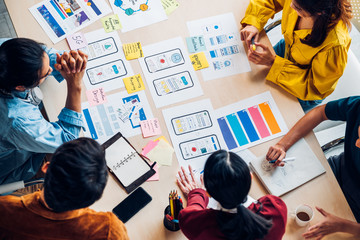
Conclusion
Designers and developers are two sides of the same coin, each bringing unique skills and perspectives to the table. By fostering clear communication, empathy, and mutual respect, these teams can collaborate effectively to create user-focused products that stand out in the market.
Remember, the ultimate goal is the same: delivering exceptional user experiences. With the right strategies and tools, seamless collaboration becomes not just possible but highly rewarding.
Master the art of crafting intuitive interfaces and unforgettable user experiences with our Advanced UI/UX Design Course. Gain hands-on skills, elevate your career, and create designs that leave a lasting impact.
Enroll now at Kaarwan and take your expertise to the next level!
FAQs
1. Why is collaboration between designers and developers important?
It ensures that creative designs are translated into functional and user-friendly products, improving overall efficiency and user satisfaction.
2. What tools can facilitate designer-developer collaboration?
Tools like Figma, Zeplin, Trello, and GitHub are excellent for bridging the gap between design and development.
3. How can designers and developers overcome communication challenges?
Establish clear communication channels, use collaborative tools, and prioritize regular sync meetings.
4. What’s the role of empathy in collaboration?
Empathy helps both teams understand each other’s challenges, fostering mutual respect and minimizing conflicts.
5. Can remote teams collaborate effectively?
Yes, with tools like Zoom, Asana, and Git, remote teams can collaborate efficiently by maintaining clear communication and accountability.




