


Prototyping forms an integral aspect of UI/UX design in the dynamic world. Designers utilize it as an important step to develop, test concepts, and refine user flows before entering the development stage. Prototyping does not only save time and resources but also delivers a final product that is better in quality.
This blog post focuses on prototyping in UI/UX - the benefits, the methods and the best practices for effective prototype building which increases user experiences.
What is Prototyping in UX?
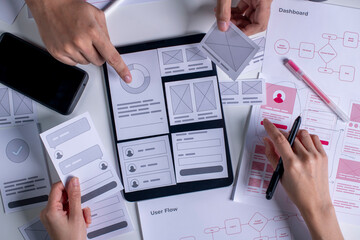
Prototyping is the construction of an interactive product model that will simulate the key functions and user flows of the end product. A prototype is different from a wireframe in that it provides an impression to the user or stakeholders about what the design will look and feel like, as opposed to merely a simple layout. There are also various levels on which prototyping can be done: very low-fidelity sketches to very high-fidelity, almost final versions.
Why Prototyping Matters in UX
1. Testing and Refining Ideas Early
Prototyping can be used to simulate early design concepts and user flows. Hence, designers can identify problems, gather feedback, and update designs to meet the expectations of users before investing in full development by monitoring the interaction of users with the prototype.
2. Cost and Time Efficiency
Prototyping saves time and money by avoiding expensive revisions because it catches potential problems at their earliest stages. Fixing a flaw during the design stage is much cheaper compared to post-development corrections. Furthermore, efficient prototyping tools streamline iterations, hence allowing design teams to work faster and save time.
3. Improving User Engagement and Satisfaction
User satisfaction increases when designed with the user in mind. Testing the prototype is also helpful for pointing out pain points in order to make the final product intuitive, accessible, and enjoyable. This kind of approach increases engagement and satisfaction, leading to higher retention and loyalty among users.
4. Enhancing Collaboration with Stakeholders
Prototypes are a practical demonstration of the design so that the stakeholders can work with the product and comment on it with better judgment. It brings the vision of the project to a common place among the team members as well as fills the gap between designers, developers, and stakeholders.
5. Streamlining the Development Process
Prototypes facilitate clear communications of the functionality and user flow of the developed product during the development stage. Therefore, better design-to-development handoffs may mean a more efficient build with fewer surprises for the developers.

Types of Prototyping Methods
Different prototyping methods serve different purposes based on the project stage and desired level of interactivity. Here are the main types:
1. Paper Prototypes
- What They Are: Quick, hand-drawn sketches or outlines on paper.
- When to Use: Ideal for brainstorming or initial concept development.
- Benefits: Allows designers to validate ideas cheaply and quickly, without committing to digital designs.
2. Low-Fidelity (Lo-Fi) Digital Prototypes
- What They Are: Simple digital representations that outline basic layouts and functionality without intricate design elements.
- When to Use: Useful for early user testing and gathering initial feedback.
- Benefits: Provides a rough idea of the user flow without heavy investment in design details.
3. High-Fidelity (Hi-Fi) Prototypes
- What They Are: Digital prototypes that closely resemble the final product, often interactive and visually detailed.
- When to Use: Best for later stages when the design concept is nearly finalized.
- Benefits: These prototypes offer a clear view of the final product, allowing for detailed testing of functionality and aesthetics.
4. Interactive and Clickable Prototypes
- What They Are: Digital prototypes with clickable elements to mimic real interaction, created using tools like Figma, Adobe XD, and InVision.
- When to Use: Perfect for presenting to stakeholders or for usability testing.
- Benefits: Users can explore and interact with the product, making these prototypes excellent for detailed feedback and realistic user experience testing.
Steps to Effective Prototyping
Creating effective prototypes requires a structured approach to ensure that user needs and design objectives are met. Here’s a streamlined process:
1. Define Goals and Objectives
Start by defining what your prototype aims to achieve, whether it is usability, visual appeal, or user interaction. Clear goals help to define the approach and pay attention to particular areas of improvement.
2. Select the Right Tools
Consider the goals and workflow of your team while choosing prototyping tools. Some prototyping tools, like Figma, Adobe XD, Sketch, and InVision, might offer different levels of fidelity and so would be at varying stages for prototyping and testing purposes.
3. Plan User Flows
Outline user journeys with key actions and interactions that need to be tested. In order to create a prototype that mimics real usage, those flows must be matched to the user's goals.
4. Incorporate Interactivity
Add clickable elements and transitions to make prototypes look real, especially in high-fidelity prototypes. This allows testing related to how users will navigate and interact with the design.
5. Gather and Analyze Feedback
Once the prototype is ready, usability tests have to be conducted with real users for insight. Understanding the feedback is very effective in helping the team note issues within the user flow, functionality, or even design so that the product can be improved iteratively.

Best Practices for Prototyping Success
1. Keep User-Centered Goals in Focus
Prototyping needs to consider the users' needs. Focus on usability and accessibility, especially intuitiveness. This means that the prototype meets users' expectations and offers rich learning.
2. Embrace Iteration
Prototyping is a cycle, not an activity done at once. Collect feedback and be prepared to loop back multiple times on refining the prototype.
3. Be Open to Flexibility
Prototyping may unveil some hidden issues that need to be redone. Be flexible and take every iteration as a fresh opportunity for improvement.
4. Document Changes and Feedback
Track all the changes and also any kind of feedback during testing. Documentation will prove handy during subsequent iterations, and one will be left with a clear track of how the design evolves over time.
5. Engage Stakeholders Regularly
Involve stakeholders throughout the prototyping phase. Ongoing engagement allows for the reception of constructive feedback that will keep everyone aligned toward the design direction.
Popular Prototyping Tools for UX Designers
1. Figma: Known for its collaboration features and high-fidelity prototyping capabilities, Figma is ideal for real-time team work.
2. Adobe XD: A powerful tool for creating interactive, high-fidelity prototypes with smooth transitions and animations.
3. InVision: A well-rounded platform for clickable prototypes, often used for user testing and stakeholder presentations.
4. Sketch: A design tool focused on high-fidelity prototyping, excellent for detailed wireframes and UI design.
5. Axure: Known for its ability to create complex, data-driven prototypes, Axure is ideal for larger projects with intricate interactions.
Conclusion
Prototyping is an important aspect of UX design because it bridges the gap between concept and development. Prototyping allows a designer to test, refine, and perfect their designs so that they would be user-centered, thereby meeting both business and user needs. The power of prototyping helps teams produce intuitive, engaging, and effective digital experiences in this competitive landscape. Being either an amateur or a seasoned designer, learning prototyping improves the skills of any given UX designer.
Elevate your design game! Master the art of building intuitive, user-centered interfaces with our Advanced UI/UX Design Course. Transform your skills and create products that capture and engage.
Enroll now at Kaarwan to start your journey!
FAQs
1. What is prototyping in UI/UX design?
Prototyping is the process of creating interactive, simplified models of a product's user interface and experience. It allows designers to test concepts, identify issues, and refine designs before the final build.
2. Why is prototyping crucial in UI/UX design?
Prototyping helps designers validate ideas, reduce development risks, and get feedback from users early on. It’s a cost-effective way to improve usability and functionality in a product.
3. What types of prototypes are commonly used in UI/UX?
Prototypes can range from low-fidelity wireframes or sketches to high-fidelity clickable models. Each type serves different purposes, from conceptualizing layout to fully testing user interactions.
4. How does prototyping improve user satisfaction?
By testing and refining designs based on user feedback, prototyping helps create intuitive, user-friendly interfaces, leading to products that better meet user needs and expectations.
5. When should a UI/UX team start prototyping in the design process?
Prototyping can begin once basic concepts and wireframes are established. Early prototyping allows iterative improvements and helps the team stay aligned with user needs throughout development.




