


The automotive industry has evolved beyond just engines and horsepower—now, user experience (UX) and user interface (UI) design play a crucial role in shaping how drivers interact with their vehicles. Modern cars are essentially computers on wheels, integrating advanced infotainment systems, touchscreens, voice assistants, and AI-driven interfaces.
With increasing automation and digitalization, intuitive UI/UX design has become essential for ensuring driver safety, convenience, and engagement. From Tesla’s minimalist dashboard to BMW’s iDrive system, automakers are leveraging cutting-edge design to redefine how users interact with vehicles.
This blog explores the significance of UI/UX in the automotive industry, key principles for effective design, and the future of in-car experiences.
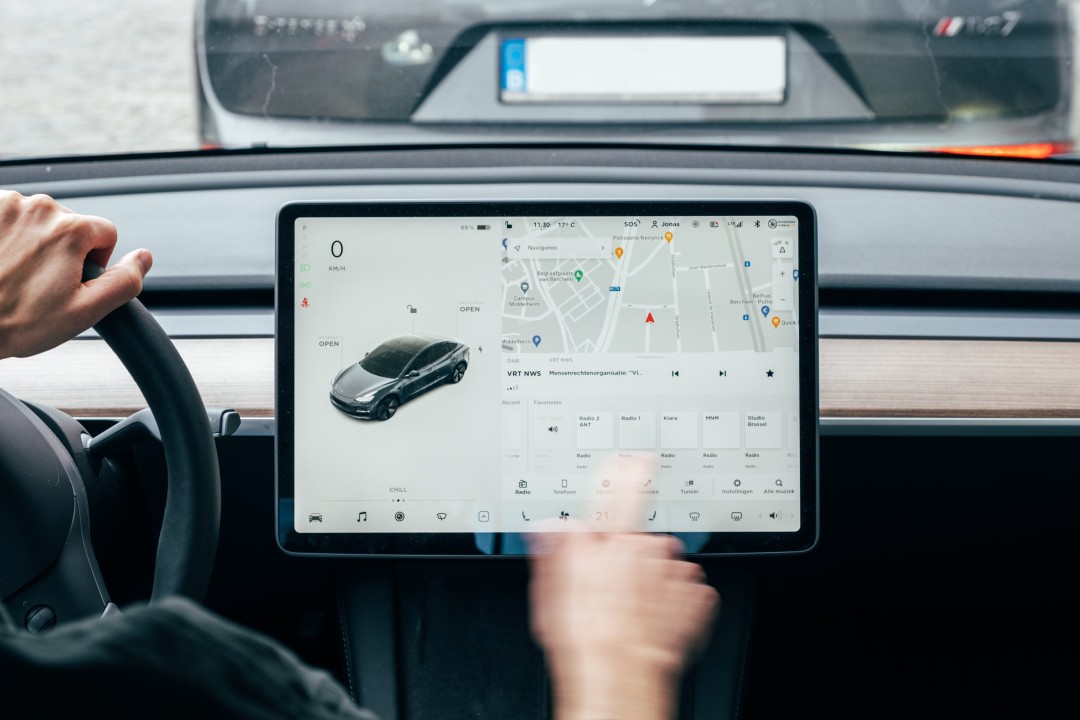
Image Credits - Bored Panda
The Importance of UI/UX in Automotive Design
1. Enhancing Driver Safety
A well-designed interface reduces distractions and ensures that drivers can access critical information without taking their eyes off the road. Poor UI design can lead to cognitive overload, increasing the risk of accidents.
Key Safety Features in UI/UX:
- Heads-up displays (HUDs): Project key driving data (speed, navigation, warnings) onto the windshield.
- Voice-controlled interfaces: Allow hands-free control over navigation, music, and calls.
- Tactile feedback: Haptic responses on touchscreens help drivers confirm actions without looking away.
2. Improving User Convenience
A seamless interface makes driving more enjoyable. Whether it’s accessing real-time navigation or adjusting climate controls, an intuitive UX ensures a smooth experience.
Convenience-driven Features:
- Personalized profiles: Cars remember user preferences for seat position, climate, and infotainment.
- Predictive AI: Systems anticipate user needs, like suggesting the fastest route based on traffic.
- Smartphone integration: Apple CarPlay and Android Auto allow users to connect their devices effortlessly.
3. Strengthening Brand Identity
Automakers use UI/UX to differentiate themselves. Tesla’s futuristic interface, Audi’s Virtual Cockpit, and Mercedes’ MBUX system each create a unique brand experience through UI design.
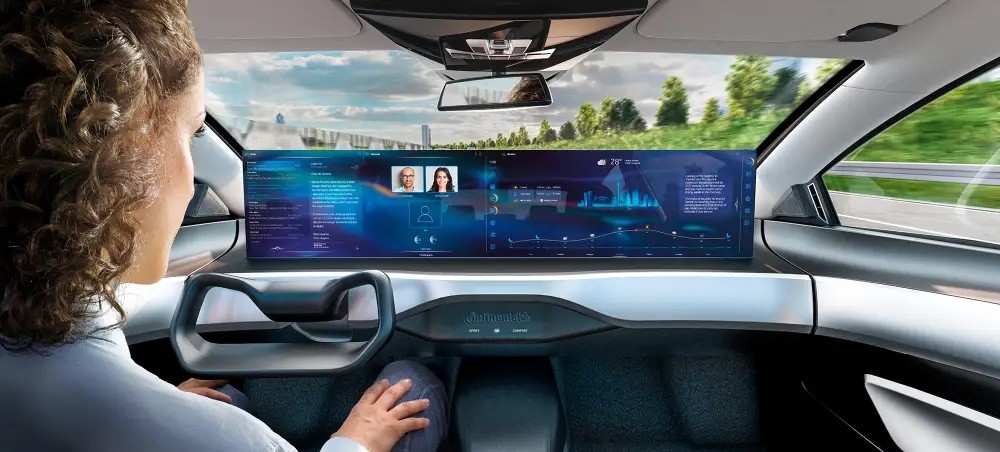
Image Credits - LinkedIn
What you'll learn:
- Learn from industry experts and master practitioners.
- Engage in hands-on, project-based learning experiences.
- Connect with a vibrant community of creatives and professionals.
- Receive a certificate to boost your portfolio and credentials.
Key UI/UX Design Principles for Automotive Interfaces
1. Minimalism for Reduced Cognitive Load
A car’s interface should be as simple as possible. Drivers have limited time to interact with a screen, so cluttered dashboards and excessive controls can be overwhelming.
Best Practices:
- Prioritize essential features (navigation, speed, fuel level).
- Use large, easy-to-read fonts and high-contrast colors.
- Eliminate unnecessary animations that distract drivers.
Tesla’s UI exemplifies this principle with a clean, tablet-like display that minimizes distractions.
2. Multi-Modal Interaction
The best automotive UX integrates multiple input methods, allowing users to interact using touch, voice, gestures, and physical controls.
Effective Multi-Modal Elements:
- Voice assistants: Siri, Alexa, and Google Assistant allow hands-free commands.
- Steering wheel controls: Offer quick access to volume, cruise control, and call functions.
- Touchscreens with haptic feedback: Provide a tactile response to confirm interactions.
BMW’s iDrive system successfully combines touch, rotary controls, and voice commands for a seamless user experience.
3. Adaptive UI for Different Driving Conditions
UI should adapt based on driving scenarios. For example, a driver navigating at night may need a different interface layout than someone using autopilot on the highway.
Adaptive UI Features:
- Day/Night modes: Adjust brightness and contrast based on lighting conditions.
- Simplified navigation: Only show essential details when driving at high speeds.
- Augmented reality (AR) displays: Overlay navigation instructions directly on the road view.
4. Personalization and AI Integration
Smart cars can learn user preferences and adjust interfaces accordingly. AI-driven UI/UX enhances both safety and convenience.
Examples of AI in UI/UX:
- Predictive climate control adjusts temperature based on past preferences.
- AI-powered navigation suggests routes based on driving habits.
- Gesture recognition allows users to control media with simple hand movements.
Mercedes’ MBUX system uses AI to adapt to user behavior, providing a truly intelligent interface.
5. Seamless Connectivity and Ecosystem Integration
Modern car interfaces extend beyond the dashboard. They connect with smartphones, smart home devices, and cloud services for a holistic experience.
Ecosystem Integration in UI/UX:
- Synchronization with calendars for predictive route planning.
- Smart home integration (e.g., controlling home lights from the car).
- Remote vehicle control via mobile apps (locking, pre-heating, charging status).
Tesla’s mobile app offers complete control over the vehicle, showcasing how UI/UX extends beyond the car itself.
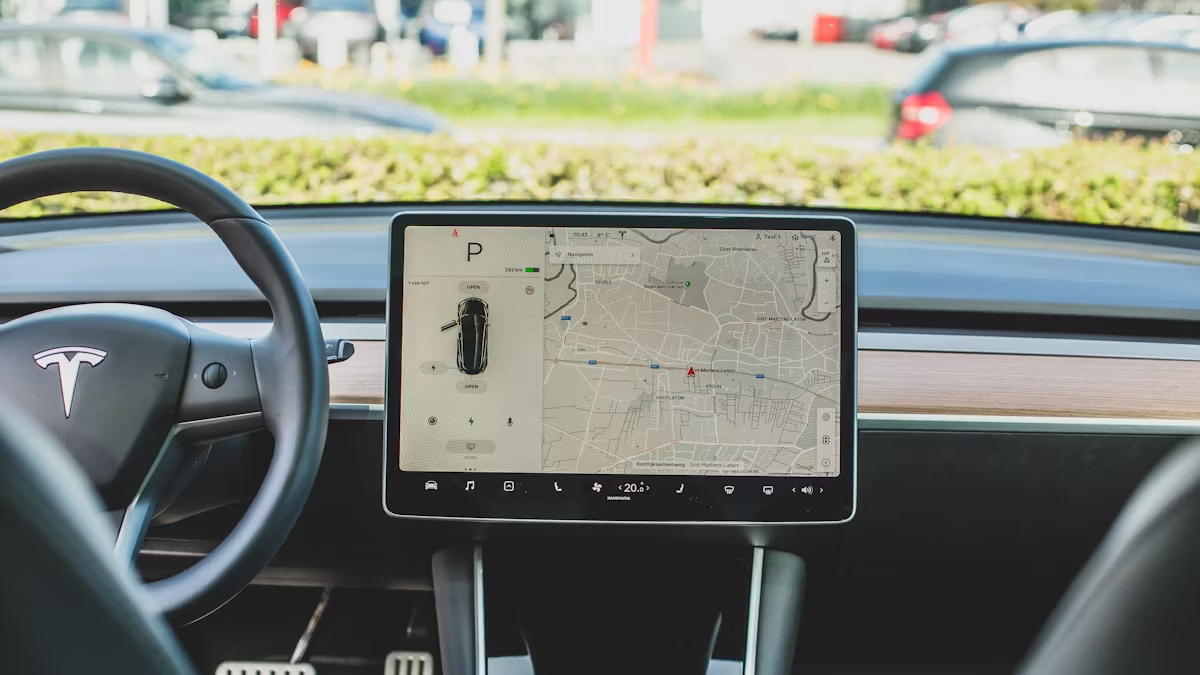
Image Credits - QuickCreator
Challenges in Automotive UI/UX Design
1. Balancing Innovation with Safety
New technology must not compromise safety. Over-reliance on touchscreens can be dangerous, which is why a mix of physical and digital controls is essential.
2. Hardware Limitations
Unlike smartphones, cars have a longer product lifecycle. UI designers must create interfaces that remain functional and visually appealing for years.
3. User Adaptation
Users have different levels of tech-savviness. The challenge lies in designing interfaces that are both cutting-edge and user-friendly for all demographics.
The Future of Automotive UI/UX
1. Augmented Reality Dashboards
Future cars will feature AR-powered windshields that display navigation, hazard alerts, and driving assistance overlays in real time.
2. Fully Voice-Controlled Interfaces
As voice AI improves, touchscreens may become secondary, with drivers relying primarily on voice commands for all interactions.
3. Autonomous Vehicle Interfaces
As self-driving technology advances, UI/UX will shift from driver assistance to passenger entertainment and productivity, offering cinema-style dashboards and interactive experiences.
4. Brain-Machine Interfaces (BMI)
The next frontier in UI/UX involves direct neural interfaces, allowing users to control car functions using brain signals. Though still in early development, companies like Tesla are exploring BMI integration.
Conclusion
UI/UX design in the automotive industry is no longer just about aesthetics—it’s about safety, convenience, and creating an immersive driving experience. From minimalistic dashboards to AI-powered personalization, modern car interfaces are transforming how we interact with vehicles.
As technology continues to evolve, the future of automotive UI/UX promises even more intuitive, connected, and adaptive experiences, ensuring that cars remain not just vehicles, but intelligent companions on the road.
Level up your UI/UX skills! Learn to create stunning interfaces and seamless user experiences with our Advanced UI/UX Design Course. Boost your career and design products that stand out.
Enroll today at Kaarwan for more insights!
FAQs
1. Why is UI/UX important in automotive design?
UI/UX ensures driver safety, convenience, and a seamless in-car experience by minimizing distractions and improving accessibility.
2. How does AI enhance automotive UX?
AI personalizes user interactions, optimizes navigation, and predicts driver preferences for a more intuitive experience.
3. What is the role of voice control in car UI design?
Voice control enables hands-free operation, allowing drivers to control navigation, calls, and media without taking their hands off the wheel.
4. What are the latest trends in automotive UI/UX?
Key trends include augmented reality dashboards, AI-driven personalization, fully voice-controlled interfaces, and autonomous vehicle UI designs.
5. How does minimalism improve car UI?
Minimalism reduces cognitive load, making it easier for drivers to access essential information without unnecessary distractions.




