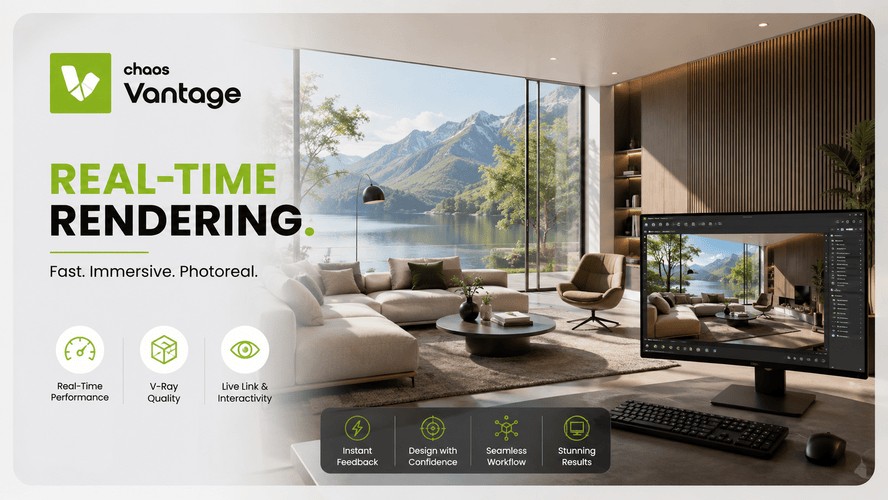
If you've spent any time around V-Ray, you've probably seen the word "Vantage" floating around somewhere - a toolbar icon, a mention in a tutorial, maybe a classmate casually dropping it into conversation like you're supposed to already know what it means. You don't. Nobody does, at first. Let's fix that.
Also Read: Speed Up Architectural Renders Without Crashing Your Laptop
What Is Chaos Vantage?
Chaos Vantage is a real-time rendering tool built by the same company that makes V-Ray. Think of it this way: V-Ray is the engine that produces those slow, jaw-dropping, final-quality renders you've been sweating over for a studio crit. Vantage takes that same scene and lets you walk through it, live, on your screen, with the lighting and materials already looking (almost) final - no waiting, no test renders, no going for a coffee while the progress bar crawls.
The term to know here is "real-time." In normal rendering, your computer calculates how light bounces around a scene pixel by pixel, and that takes time - sometimes hours for a single frame. Real-time rendering flips that. Vantage uses your GPU to calculate all of that on the fly, so as you move your camera, the image updates instantly. You're not looking at a rough preview either. It's genuinely ray-traced, meaning light behaves the way it actually does in the real world, not some cheated-out approximation.
Also Read : A Beginner-Friendly Guide to Twinmotion
How Is Vantage Different From V-Ray Itself?
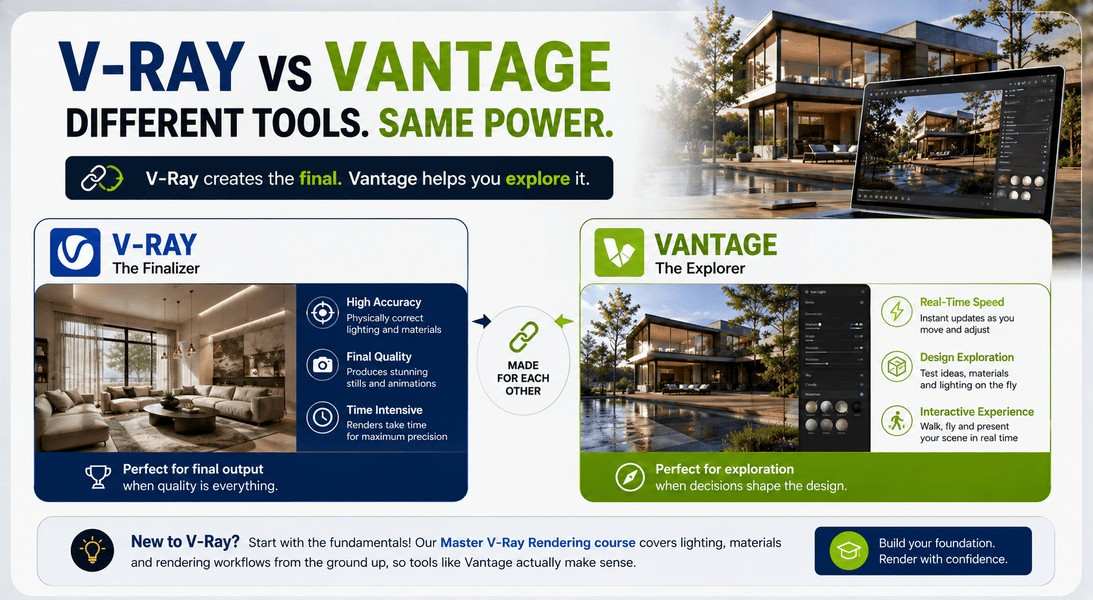
This is where most people get stuck, so let's be blunt about it: V-Ray and Vantage aren't competing tools. They're a pair.
V-Ray does the heavy lifting - it's where you build materials, set up lighting, and produce the final polished stills or animations your client actually sees. It's precise, it's powerful, and it's slow by design, because accuracy takes computation time.
Vantage is what happens after (or alongside) that. You take your V-Ray scene and drop it into Vantage, and suddenly you can fly around it, tweak the sun position, swap a material, and see the result immediately. It's less about the final output and more about exploring your design decisions before you commit to a long render.
A lot of students describe it as the difference between sketching with a pencil and inking the final line - Vantage is where you figure things out, V-Ray is where you finish them.
Worth mentioning: the two have gotten even closer lately. Chaos has been folding Vantage's real-time engine directly into the V-Ray viewport itself for SketchUp, Rhino, and Maya (3ds Max is catching up), so you don't always need to jump between separate windows anymore. But as a standalone app, Vantage is still very much its own thing, and understanding it that way will save you a lot of confusion.
If you haven't touched V-Ray yet, it's worth backtracking - we've laid out the basics in an introduction to V-Ray rendering, and honestly, Vantage won't mean much until that clicks first.
Getting Started: Importing Your V-Ray Scene Into Vantage
You don't need to learn a whole new modeling workflow for this, which is honestly the best part. Here's roughly how it goes:
- Build and light your scene in V-Ray as usual, inside SketchUp, Rhino, 3ds Max, or whatever your platform is.
- Export it as a V-Ray scene file (a .vrscene), or use the live link if your version supports it.
- Open Chaos Vantage and drag that file straight into the window.
That's genuinely most of it. Vantage reads your materials, lights, and geometry more or less exactly as V-Ray sees them, so there isn't a painful re-setup process. Give it a few seconds to load (bigger scenes with a lot of vegetation or high-poly assets take longer, understandably), and then you're free to fly around.
New to V-Ray? Start with the fundamentals before diving into Vantage. Master V-Ray Rendering course by Kaarwan covers lighting, materials, and rendering workflows from the ground up, giving you the foundation to get the most out of real-time rendering with Vantage.
Key Features: Live Link, VR Headset Support, Batch Rendering
A few things worth knowing before you dive in:
Live link. This is the connection between your host app (SketchUp, Rhino, etc.) and Vantage. Move a light in your modeling software, and it updates in Vantage almost instantly. It's genuinely satisfying to watch the first time.
VR headset support. Vantage plays nicely with VR headsets, so if your school or studio has one lying around, you can literally walk through your building before it's built. Great for client presentations, honestly overkill for a Tuesday afternoon assignment, but worth knowing it exists.
Batch rendering. Even though Vantage is built for real-time exploration, it can also output final stills and animations in batches - handy when you've found a camera angle you love and want a clean export without switching back to V-Ray.
Also Read : How to Integrate Rhino Workflows With Visualisation Tools
Who Actually Uses Chaos Vantage?
Mostly people who need to make decisions fast, or explain a design to someone who isn't fluent in floor plans.
Architecture and interior design studios use it during client walkthroughs so decisions on materials or lighting happen in the room, not three days later after a re-render. Concept artists and visualization specialists lean on it during the exploration phase, when they're still figuring out camera angles and mood.
And students - this is the part that matters most for you - use it to cut down on the endless render-wait-tweak-render cycle that eats up half a thesis semester.
Is Chaos Vantage Free to Try?
Yes. Chaos offers a 30-day free trial that gives you the full feature set, not a stripped-down demo. That's plenty of time to load in a few scenes and see whether it actually changes how you work, before you think about licensing. Worth noting: Vantage also comes bundled with the V-Ray Collection, so if your course or studio already has that, you likely already have access without realizing it.
Curious about how this stacks up against fully game-engine-based real-time approaches, like architects using Unreal Engine for the same kind of walkthroughs? We covered how that compares here - it's a slightly different philosophy, worth understanding once Vantage clicks for you.
New to V-Ray itself and want the fundamentals before layering Vantage on top? Kaarwan's Master V-Ray Rendering course walks you through lighting, materials, and rendering workflows from the ground up, so real-time tools like Vantage actually make sense.
FAQs
Do I need to already know V-Ray to use Chaos Vantage?
You'll get more out of it if you do, since Vantage is built to read V-Ray scene files. It's not a standalone modeling or lighting tool - it's the real-time layer that sits on top of a scene you've already built in V-Ray.
Can Chaos Vantage open Enscape or Corona scene files too?
Yes, Vantage has compatibility with Corona and Enscape files as well, not just V-Ray, which makes it a bit more flexible than people assume.
What GPU do I need for Chaos Vantage?
You'll need a DXR-compatible GPU (that's DirectX Raytracing support) - practically speaking, a recent NVIDIA RTX card or a compatible AMD Radeon RX card. Without one, the real-time ray tracing simply won't run.
Is Chaos Vantage a separate purchase from V-Ray?
It can be licensed on its own, but it's also included with the V-Ray Collection. If you're already using V-Ray through that bundle, check your existing license before buying anything separately.