Grasshopper is probably the tool you have come across if you study architecture either professionally or academically and want to investigate computational design. Extensive application of this visual programming tool, a development of Rhino, in parametric design and algorithm-driven modelling. Where, therefore, do you begin?
Image Credit: Nature.com
I will walk over the foundations of Grasshopper algorithms in this guide, stressing important ideas in an understandable and simple manner. This post will guide you whether your goal is to hone your Grasshopper architectural abilities or you are fresh to Grasshopper training.
Read more: Introduction to Grasshopper: Fundamentals of Parametric Design
What is Grasshopper and for what reason should you use it?
Designed as a node-based visual programming tool, Grasshopper lets you design intricate parametric models without writing code. It helps designers and architects create flexible, iterative designs with algorithms instead of hand modelling.
Why Do Architects Love Grasshoppers?
✔ Efficiency and Automation – Helps to improve workflow by lowering repetitious chores. ✔ Design Flexibility – Lets the model automatically change with changes in design criteria. ✔ Complex Geometries – Allows one to create organic and detailed structures. ✔ Integration with Other Tools – Works perfectly with Rhino, Vastu Shastra course of instruction, and even BIM systems.
Read more: Mastering Grasshopper Geometry: A Step-by-Step Tutorial
Grasping Grasshopper Algorithms
Grasshopper's workflow is graph-based, establishing relationships between parameters using nodes (components) linked by wires. Let's investigate some important components:
1. Materials: The Building Blocks
Grasshopper runs via parts, each with a purpose. There are three primary forms:
✔ Store and move data (e.g., points, numbers, curves) using Param (parameter) tools. ✔ Maths and logic – Set conditions and do computations. ✔ Geometries & Transformations – Create 3D forms by modifying, turning about.
2. Data Trees for Handling Intricate Data
Multiple sets of data inside one workflow are arranged via data trees. Consider them as nested lists, allowing controlled element manipulation in your model.
📌 As an Illustration:
- A single line is a branch including two points as leaves.
- A tree with several branches emerges from a list of several lines.
Read more: Algorithmic Design in Grasshopper: The Future of Parametric Modeling
3. Grasshopper's Algorithms: Defining Logic
Grasshopper's algorithms control the interactions among inputs to produce outputs.
A. Parametric Shape Generation
One popular application is creating Voronoi patterns or organic façade designs with point distribution.
B. Recursive Systems
Recursion lets one element affect the following iteration's direction. Fractal structures and dynamic patterns benefit from it.
C. Algorithms of Genetics
Applied for design optimisation, these algorithms enable architects to create solutions depending on certain limitations (e.g., maximising daylight penetration in a building facade).
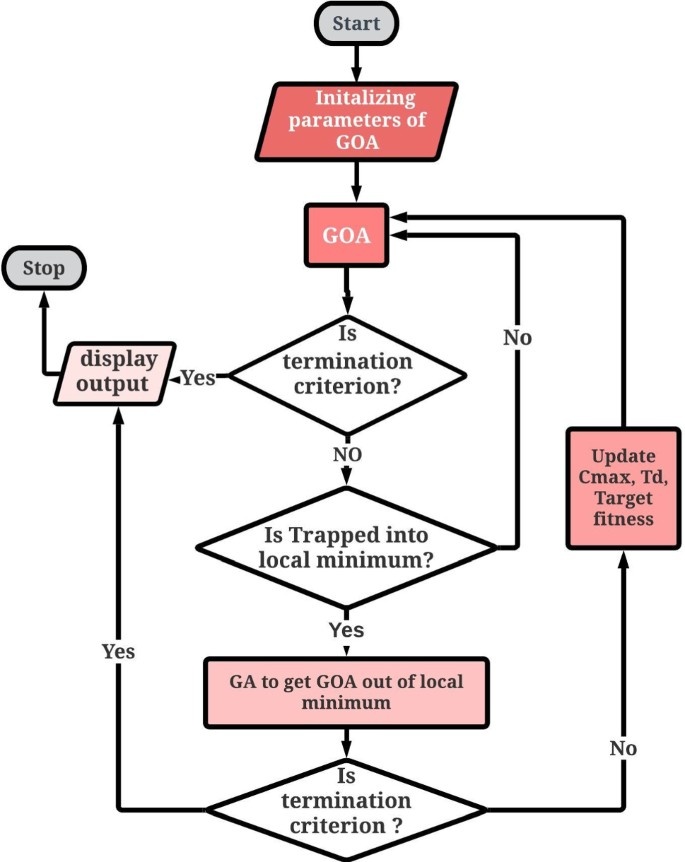
Image Credit: https://link.springer.com/article/10.1007/s00500-022-07219-0
Getting Started with Grasshoppers
1. Getting Ready for Your First Script
These easy guidelines will help you to generate a basic parametric model:
- Open Rhino, then launch Grasshopper (type Grasshopper in the command bar).
- Drag and drop a Point parameter from the Params tab.
- Change the location of the point by including a Move component.
- To interactively control movement, link a number slider.
- Try adjusting values and see updates right away!
Read more: Mastering Custom Components in Grasshopper: A Guide for Architects
2. Typical Starting Mistakes to Avoid
⚠ Not Understanding Data Structures – Learn how lists and trees help to prevent mistakes. ⚠ Overloading Definitions – Avoid too many components; keep scripts neat. ⚠ Ignoring Unit Consistency – Always find out whether your model runs feet, millimetres, or metres.
Grasshopper Uses in Architecture
Grasshoppers are extensively applied in several different architectural fields:
✔ Facade Design – Adaptive shading systems generation. ✔ Urban Planning – Study of site circumstances and layout optimisation. ✔ Sustainable Architecture – Environmental simulations to improve building performance. ✔ Integration of Ancient Vastu Architecture – Parametric models guided by Vastu course concepts.
Conclusion
For professionals as well as architecture students, mastering Grasshopper techniques creates countless opportunities. Learning the foundations of Grasshopper training will help you create advanced parametric models, improving design efficiency and creativity.
📌 If you want to delve further, check out our advanced courses in Rhino and Grasshopper your architectural practice.
Visit our website Kaarwan for more!
FAQs
1. Is Grasshopper challenging to pick up?
Not very much! Its learning curve is steep, but you can rapidly become proficient with practice and guided learning.
2. To utilise Grasshopper, do I have to know programming?
No; Grasshopper is node-based, hence coding is not necessary. Still, knowing fundamental logic will be useful.
3. Is structural engineering a purpose for Grasshopper?
Indeed, for structural analysis and optimisation, it interacts with Karamba3D.
4. Grasshopper's comparison to Dynamo?
While Dynamo is favoured for BIM-related workflows in Revit, Grasshopper is more common for free-form and parametric design.
5. Where may I get further Grasshopper learning materials?
Our detailed Grasshopper courses let you hone your abilities and master computational design.