

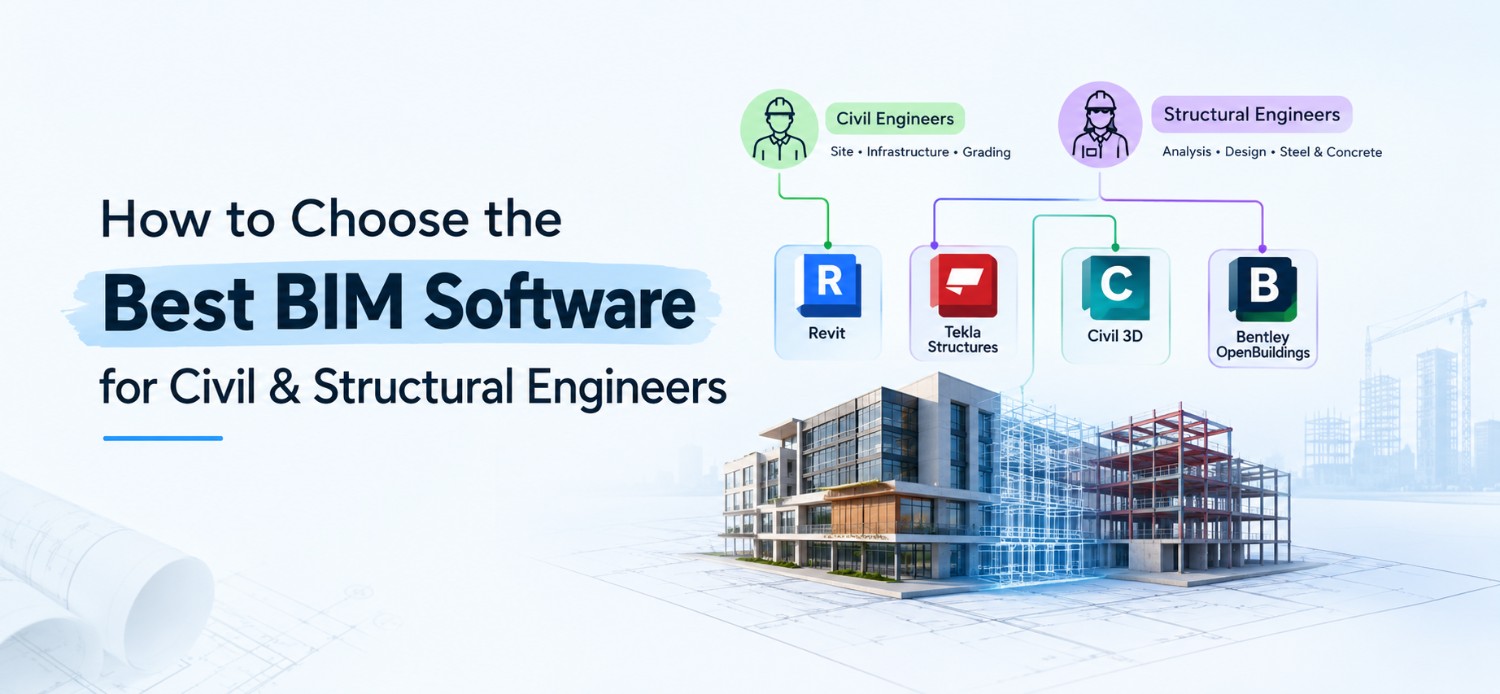
The best BIM software for civil and structural engineers depends on the work you actually do. Autodesk Revit suits building structures. Trimble Tekla Structures is the one for steel and precast detailing. Autodesk Civil 3D handles roads, grading and land development, and Bentley OpenBuildings Designer fits large infrastructure. Most people end up pairing a modelling tool with an analysis tool like STAAD.Pro or ETABS, because the two do different jobs.
In India there's another filter. Your design and detailing follow codes like IS 456 for RCC and IS 800 for steel, so the tool has to sit comfortably inside that workflow. Below you'll find a role-wise table, the strengths and limits of each tool, and the checks worth running before you pay for a licence. New to BIM? Start with what BIM means in civil engineering.

Which BIM Software Fits Your Role?
The best BIM software for civil engineers is the one that matches the deliverable you produce most often: building drawings, road corridors, fabrication detail or coordination reports.
Publish this as a real HTML table (not an image) inside a scrollable wrapper so it works on mobile.
| Role or work | Start with | Pair with | Why |
| RCC building design and drawings | Revit | STAAD.Pro or ETABS for analysis | One model produces plans, sections and schedules |
| Steel, precast and connection detailing | Tekla Structures | Advance Steel as an alternative | Fabrication-level detail; IS 800 context |
| Roads, highways, grading and drainage | Civil 3D | Navisworks for review | Surface and corridor modelling |
| Large infrastructure and campus projects | Bentley OpenBuildings Designer | OpenRoads for roads | Suits large multi-discipline projects |
| Clash checks and coordination | Navisworks | The authoring tool's model | Review tool, not for authoring |
| Student or fresher | Revit first, then Civil 3D or Tekla for the jobs you target | None | Check live job postings first |
Want every tool in one place? See our BIM software list for civil engineers.
Not sure which row fits your career? See how Kaarwan's BIM Certification Program for Civil Engineers is structured.
Key Considerations When Selecting BIM Software
Compare five things before you buy: functionality, learning curve, compatibility, cost and industry adoption
1. Functionality and Features
Different BIM tools are designed with specialized functionalities:
- 3D Modelling & Visualisation: the baseline. It's how you see the building and catch clashes early.
- Analysis link: most BIM tools model and detail; loads and member design happen in STAAD.Pro, ETABS or SAP2000, so check how well they connect.
- 4D & 5D BIM: time and cost layers for planning.
- Interoperability: smooth working with AutoCAD, SAP2000 and STAAD.Pro matters more than any single feature.
2. Ease of Use & Learning Curve
Some tools take weeks to feel comfortable in, others take months. Ask:
- Are there tutorials and certification options?
- Is there an active community to learn from?
- How long until you're actually productive on a real project?
3. Compatibility & Integration
You'll rarely stay inside one tool, so how well your software exchanges data with the others matters more than it sounds.
- Support for standard file formats such as IFC, DWG, and RVT allows smooth data exchange.
4. Cost & Licensing Models
BIM software pricing varies a lot, so look at the licence type before you look at the price.
- Subscription or perpetual? Look at both before committing.
- Free trials and student versions exist for some tools, so use them to test before you pay.
- Check the official pricing pages for Autodesk India, Trimble and Bentley rather than relying on a number you saw somewhere else.
5. Industry Adoption & Customer Support
Widely adopted tools usually mean better community help, steady updates and more jobs asking for them. Revit and Tekla are the ones you'll see most in structural work, and a quick scan of live postings in your city will tell you what firms near you actually want.

Comparison of Top BIM Software for Civil & Structural Engineers
These four tools matter most for civil and structural work; each has a clear best use and a clear limit.
1. Autodesk Revit
Best for:
- Architectural and structural BIM applications.
- Supports parametric modeling for intelligent designs.
- Provides advanced 3D modeling and visualization.
- Integrated collaboration tools via Autodesk Construction Cloud.
- Pairs with Navisworks for 4D scheduling and clash checks.
Limitations:
- Steeper learning curve for beginners.
- Higher cost compared to alternative software.
Curious how it plays out on real sites? Here's how Revit is used in civil engineering projects.
2. Tekla Structures (by Trimble)
Best for:
- Structural engineers and contractors specializing in steel and concrete.
- Detailed 3D modelling of steel and concrete, with links to analysis tools.
- Well-suited for steel fabrication and reinforcement detailing.
- Offers model-based cost estimation.
- Strong interoperability with AutoCAD and SAP2000.
- d detailed structural analysis.
- Well-suited for steel fabrication and
Limitations:
- Primarily designed for structural engineering rather than general BIM applications.
- Requires advanced training to utilize complex features effectively.
If you're thinking about a career around it, read Tekla for structural engineers.
3. Autodesk Civil 3D
Best for:
- Roads, highways, grading, drainage and land development.
- Surface and corridor modelling.
- Works alongside Revit and Navisworks.
Limitations:
- Not designed for building structures.
- Needs training in surfaces and corridors.
4. Bentley OpenBuildings Designer (formerly AECOsim)
Best for:
- Large-scale infrastructure and civil engineering projects.
- Excellent for transportation, urban development, and geospatial integration.
- Features advanced clash detection and visualization tools.
- Supports sustainable design and energy analysis.
Limitations:
- Requires significant training due to a complex user interface.
- Expensive licensing models may be restrictive for smaller firms.
ArchiCAD is a fast, friendly modelling tool, but it's built mainly for architectural design, and its structural analysis side is thin next to Revit or Tekla. Vectorworks Architect is flexible and works well for site planning and landscape, though it's also architecture-first and doesn't exchange data as smoothly with other BIM platforms. For the full tool-by-tool rundown, use the list page linked under the role table above.
Which BIM Software Is Best for Structural Engineers?
Structural BIM software is what you use to model, detail and coordinate beams, columns, slabs and connections. Tekla Structures is widely used for steel and precast detailing, Revit suits RCC building models, and Advance Steel suits fabrication drawings inside the Autodesk ecosystem. Analysis stays in tools like STAAD.Pro, ETABS or SAP2000, linked to the model.
Here's how it breaks down by material:
- RCC frames, slabs and drawings to IS 456: Revit, with STAAD.Pro or ETABS for analysis
- Steel and precast detailing to IS 800: Tekla Structures or Advance Steel
- Connection and fabrication drawings: Tekla Structures
Learning path: Want to see where this skill set leads? Here's what the structural BIM modeler role and skills.
BIM Software vs Structural Analysis Software: What Is the Difference?
BIM software builds a data-rich 3D model for design, detailing and coordination. Structural analysis software, such as STAAD.Pro, ETABS or SAP2000, calculates loads, moments and member sizes. In practice, the engineer analyses in one tool, then models and details in a BIM tool, and the two link through plug-ins or IFC.
Don't assume the link works the same way across every version. Confirm it for your exact software version before you buy.
How to Choose the Right BIM Software?
To make an informed decision, engineers should follow these steps:
- Assess Project Requirements: Determine whether the focus is on architectural design, infrastructure development, or structural detailing.
- Evaluate Compatibility: Ensure that the software integrates with existing design tools (e.g., AutoCAD, SAP2000, Staad.Pro).
- Consider Budget Constraints: Compare software costs, licensing models, and availability of free trials or student versions.
- Analyze Industry Adoption: Opt for software that is widely used by major firms for better career prospects and support.
- Utilize Free Trials: Testing software features before purchasing ensures suitability for specific project needs.

Conclusion
Conclusion
Three things to take with you:
- Pick software by the work you deliver. Revit for RCC building models, Tekla for steel and precast, Civil 3D for roads and land development.
- A BIM tool and an analysis tool do different jobs, so plan to use both.
- Check official pricing, student licences and file exchange before you commit.
Level up your civil engineering skills with Kaarwan’s BIM Civil Program. Gain hands-on experience and industry-recognized certification to secure high-paying job opportunities.
Enroll now at Kaarwan and transform your career!
FAQs
1. What is the best BIM software for civil and structural engineers?
The best BIM software depends on your needs. Autodesk Revit is widely used for general BIM applications, Tekla Structures is ideal for structural analysis and steel detailing, and Bentley AECOsim is great for large-scale infrastructure projects.
2. How do I choose the right BIM software for my projects?
Consider factors such as functionality, ease of use, compatibility, cost, and industry adoption. If your focus is on architectural design, Revit is a good choice, while structural engineers may benefit more from Tekla or Bentley AECOsim.
3. Is BIM software expensive?
BIM software pricing varies. Some tools offer monthly or yearly subscriptions, while others require a one-time license fee. Many providers also offer student versions or free trials for learning and evaluation.
4. Do I need training to use BIM software?
Yes, most BIM tools require training, especially advanced ones like Tekla or Revit. You can find online courses, certification programs, and tutorials to help you learn.
5. Can I use multiple BIM software for different tasks?
Yes, many professionals use a combination of BIM tools. For example, Revit for 3D modeling, Tekla for steel detailing, and AutoCAD for drafting. Choosing software with good interoperability ensures smooth workflows.
6. Is Civil 3D a BIM software?
Yes. Civil 3D is Autodesk's civil infrastructure design tool, used for roads, grading, drainage and land development. It builds intelligent 3D surface and corridor models, so it counts as BIM for infrastructure. For building structures, engineers usually pair it with Revit and review combined models in Navisworks.
7. Do structural engineers still need STAAD.Pro or ETABS if they use Revit or Tekla?
Yes, in most workflows. Revit and Tekla create the model and drawings, while STAAD.Pro, ETABS or SAP2000 check loads, deflection and member design. The two link through plug-ins or IFC, so model changes can move to analysis and results can come back. Confirm the exact link for your software versions before committing.
8. Which BIM software should a structural engineer learn first for jobs in India?
It depends on the material. For RCC building design, start with Revit and keep STAAD.Pro or ETABS for analysis. For steel and precast detailing, start with Tekla Structures. Check live job postings on Naukri for your city first, because the tools employers ask for differ by region and firm type.




