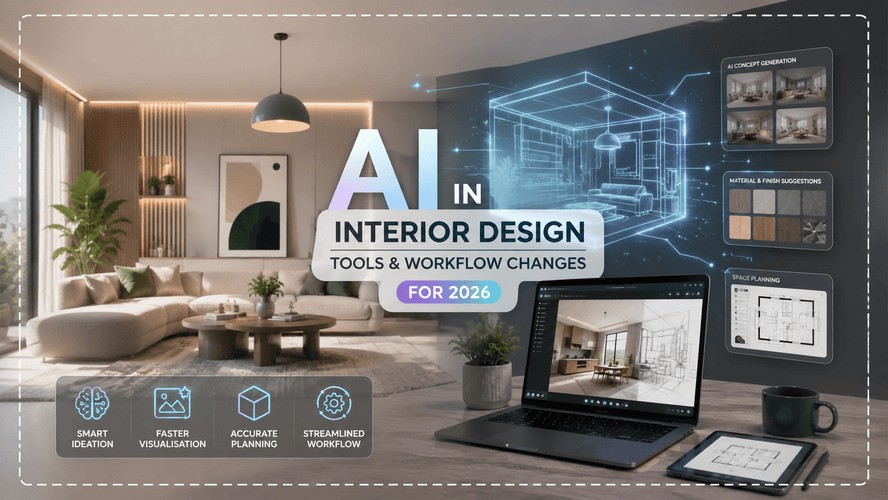
If you've spent any time on interior design Instagram or LinkedIn lately, you've probably seen someone post a "before and after" that took them ninety seconds instead of three days. That's the AI conversation in a nutshell right now - a lot of noise, a handful of genuinely useful shifts buried underneath, and a lot of designers quietly wondering whether their job description is about to change without their permission.
Here's the honest version: it's changing, but not in the dramatic way the clickbait wants you to believe. AI in interior design isn't replacing the person who understands why a client's mother-in-law needs her own reading nook. It's replacing the four hours you used to spend building a mood board by hand. Big difference.
This isn't another "AI will take your job" piece. Kaarwan's already covered that anxiety-inducing angle from the architecture side a few times. This one's about what's actually sitting in your toolkit right now, what it's genuinely good for, and what still needs your eyes and your judgement before it goes anywhere near a client.
Also Read: Freelance vs Studio: Which Interior Design Path Is Right?
How AI Is Actually Being Used in Interior Design Right Now
Strip away the marketing copy and AI's real job in interior design right now comes down to four things: rendering, mood-boarding, client presentations, and early-stage space planning. That's it. Nobody's letting an algorithm choose the final tile grout on a ₹40 lakh renovation. What it is doing is compressing the parts of the process that used to eat up your week.
Take rendering. A few years back, turning a rough layout into something photorealistic meant either learning 3D software properly or paying someone who already had. Now you can upload a room photo, describe a direction - "warm minimalist, walnut tones, keep the window wall untouched" - and get a usable visual back in under a minute. Is it perfect? No. Is it good enough to show a client during the concept-alignment call so they stop imagining beige when you meant terracotta? Absolutely.
Mood-boarding has gone the same way. Instead of screenshotting forty Pinterest images and arranging them in Canva at midnight, a lot of designers are now generating cohesive palette directions from a single prompt, then hand-picking the pieces that actually feel right. It's less "AI does the creative work" and more "AI hands you fifteen decent starting points instead of one."
And for freelance interior designers juggling five projects solo, that speed matters differently than it does for someone at a big studio. You don't have a team to split the grunt work across. AI is, functionally, your unpaid junior designer for the boring first draft.
Also Read: Interior Designer Salary in India 2026: Full Guide
Want to actually understand space planning and materials before you lean on AI shortcuts? Kaarwan's Interior Design Certification course builds the fundamentals every fast AI render still depends on.
Best AI Tools for Interior Designers in 2026
There's a real flood of tools out there claiming to be "the one." Most of them are decent at one specific thing and mediocre at everything else. Here's how they roughly sort themselves.
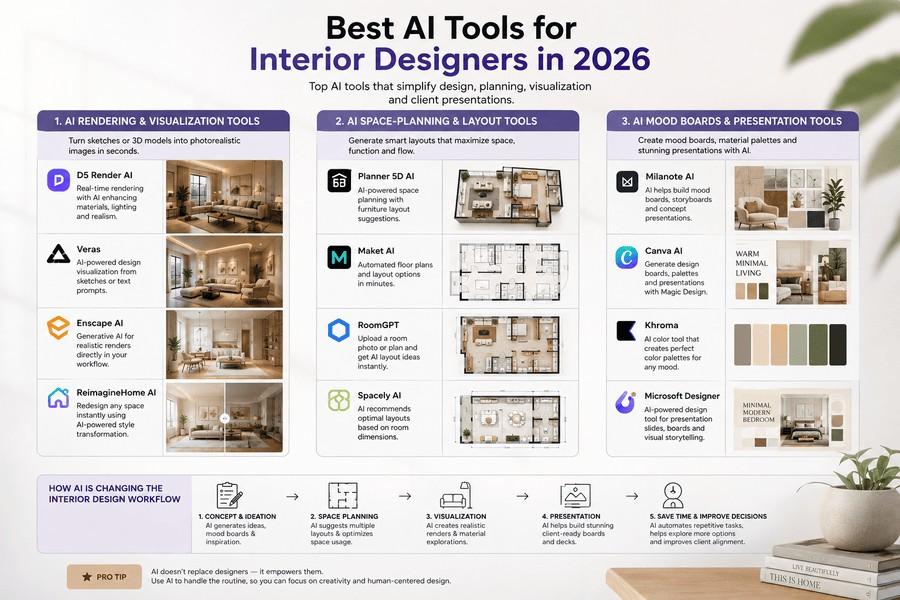
AI rendering and visualization tools
This is the most crowded category, and honestly the most useful one day-to-day. Tools in this space take a room photo or a rough 3D model and generate a styled, photorealistic version of it. Some work purely from images - fast, but they can take liberties with your actual wall placement or window sizes if you're not careful with your prompt. Others plug directly into modelling software like SketchUp or Revit and respect the geometry you've already built, which matters a lot more once you're past the "just exploring ideas" stage.
The trade-off is consistent across almost every tool in this category: image-based generators are quick and inspiring but occasionally invent a window where there isn't one. Model-based tools are slower to set up but won't lie to you about your own floor plan.
AI space-planning and layout tools
These focus less on "how does it look" and more on "does this actually work." Upload a floor plan, and the software suggests furniture placement based on room flow, function, and dimensions. It's genuinely handy for testing multiple layout directions fast - sofa against this wall or that one, open kitchen island or closed - without redrawing everything by hand each time.
Where it falls apart is scale and ergonomics. AI space planners have a habit of suggesting furniture arrangements that look balanced on screen but would leave someone bruising their shin on a coffee table in real life. Treat every AI-suggested layout as a rough draft, then walk through it mentally - or better, physically measure it out - before it goes anywhere near a client deck.
AI tools for mood boards and client presentations
This is the category doing the most for solo designers and students right now. Prompt-driven tools let you describe a vibe - materials, colour story, mood - and generate a set of cohesive visuals fast enough to iterate three or four times in a single client call. It's less about final output and more about getting alignment early, before you've committed hours to a direction the client secretly hates.
A quick word on 3D and software fundamentals here, because it comes up constantly: AI tools are only as good as the person steering them. If you don't understand why a room feels cramped or unbalanced in the first place, no amount of prompting will fix that instinct for you. That's still something you build through actual training, not through a chat window.
Also Read: Interior Design Software List 2026
What AI Still Can't Do in Interior Design
This is the part most "AI is taking over" articles conveniently skip, so let's be direct about it.
AI does not understand budget. It'll happily render a marble waterfall island next to custom joinery without any concept of what that costs to actually build in Mumbai versus Chandigarh versus a tier-2 city. It doesn't know your client's contractor, their timeline, or that the "statement chandelier" it just generated doesn't exist as a purchasable product anywhere.
It also, somewhat comically, has a habit of inventing architecture. Ask it to restyle a room and it might quietly turn an interior wall into a window, or shrink a niche, or add a second fireplace nobody asked for. This isn't a minor bug - it's a fundamental limitation of how most image-generation tools work. They're pattern-matching against millions of pretty rooms, not actually reasoning about your specific structural constraints.
And then there's the human stuff. AI has no idea that your client's teenage son needs a desk that isn't visible from the living room during video calls, or that the grandmother visiting twice a year needs a low-maintenance guest room that doesn't scream "unused space" the rest of the time. That kind of context-reading is the actual job. AI just speeds up the parts around it.
Also Read: How to Build an Interior Design Portfolio in 2026
Will AI Replace Interior Designers?
Short answer: no, and the reasoning isn't sentimental - it's practical.
Someone still has to translate a vague client brief into a livable, buildable space that respects a real budget, real vendors, and real building codes. AI can generate a hundred pretty pictures a day. It cannot sit across a table and figure out that what the client is actually asking for isn't what they're saying.
What's more likely, and honestly already happening, is a shift in what designers spend their time doing. Less time manually building visuals from scratch, more time curating, refining, and making the judgement calls that actually require taste and experience. If anything, the designers who get faster at the tool-assisted parts of the job free up more hours for the parts that pay - client relationships, site visits, sourcing, and the kind of creative problem-solving software still can't fake.
Also Read: How to Become an Interior Stylist in India in 2026
How to Future-Proof Your Interior Design Career
If there's one practical takeaway here, it's this: learning to work with AI tools is quickly becoming a baseline expectation, not a bonus skill. Clients are seeing fast, polished visuals from competitors and starting to expect the same turnaround speed from you. Falling behind on that isn't a creativity problem, it's a workflow problem - and it's fixable.
That said, tools change every six months. What doesn't change is the underlying design literacy that makes those tools useful in your hands instead of dangerous. Understanding space planning, materials, lighting logic, and how to actually read a floor plan is what separates someone who can prompt a pretty render from someone who can build a career on it. If you're looking to build that foundation properly, Kaarwan's Interior Design Certification course covers the fundamentals that make every AI shortcut actually worth using.
It's also worth keeping an eye on where your current interior designer pay sits relative to designers who've picked up these tools - the gap between "AI-fluent" and "not" is starting to show up in project turnaround expectations, if not yet directly in salary numbers.
Curious what future-proofing your interior design career really looks like in 2026? Kaarwan's Interior Design Certification course blends hands-on training with the industry tools employers now expect.
FAQs
What AI tools do professional interior designers actually use?
Mostly a mix - one tool for fast photo-based redesigns, another for space planning or floor-plan work, and something prompt-driven for early mood-boarding. Very few designers rely on a single tool for everything; most stitch together a small workflow depending on the project stage.
Can AI design a room without an interior designer?
It can generate a visual that looks like a finished room, sure. But it won't account for your actual budget, your contractor's capabilities, or whether the furniture it invented is even something you can buy. Treat AI output as a starting concept, not a finished plan.
Do interior designers need to learn AI tools in 2026?
Not mandatory in the sense of losing your job overnight, but increasingly expected in client-facing work where speed matters. Clients are getting used to fast visual turnarounds, and that expectation isn't going away.
Is AI interior design free to use?
Most tools offer a limited free tier - a handful of credits or renders before you hit a paywall. Free versions are usually fine for testing whether a tool suits your workflow, but serious use tends to require a paid plan.