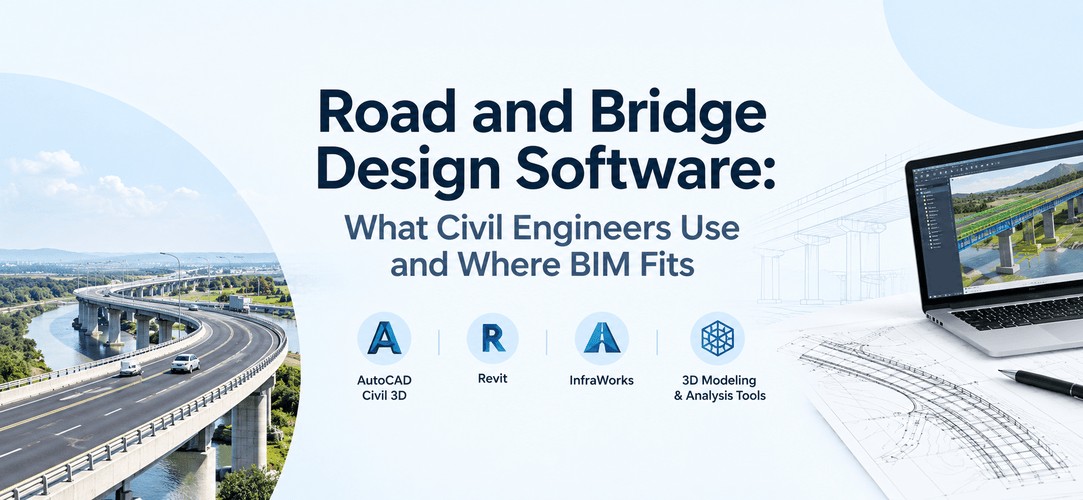
Road and bridge projects don't run on one piece of software. Civil 3D and OpenRoads Designer handle road geometry, corridors and earthwork. Dedicated bridge design software such as ASTRA Pro, OpenBridge and SOFiSTiK handles the structural analysis.
BIM tools then tie the models together for coordination and quantities. This guide shows which tool does what, what Indian employers actually ask for in road and infrastructure roles, and where a Civil BIM course fits. It won't repeat a full tool list or a Civil 3D feature tour. Those already exist on Kaarwan.
Which software is used for road design and bridge design?
Road design mostly runs on Civil 3D, OpenRoads Designer or MX Road. Bridge design is split in two: analysis tools like MIDAS Civil, STAAD.Pro, CSiBridge, LUSAS, SOFiSTiK or ASTRA Pro check the structure, while modelling tools produce the geometry and drawings. Which one you use depends on the stage of the project and your role.
Why does this matter now? India's national highway network stood at about 1,46,572 km by February 2026, up from 91,287 km in 2014, according to MoRTH figures. That's a lot of alignments, a lot of bridges, and a lot of engineers needed to design them.
Road design software: Civil 3D, OpenRoads Designer and others
Road design software turns survey data into a surface, then builds the alignment, profile, corridor and cross-sections on top of it. In Indian job listings, three names keep showing up: Civil 3D, Bentley OpenRoads Designer and Bentley MX Road.
I went through a few recent listings from June 2026 onwards. A Gurugram road design role at Tractebel asks for Civil 3D, OpenRoads or MX Road, plus IRC or AASHTO knowledge. An infrastructure firm's roads engineer listing in Gurugram wants Civil 3D or MX Roads, plus IITPAVE for pavement design.
Ramboll's roads and highways listing names Civil 3D, OpenRoads Designer and MicroStation, with IRC, MoRTH, DMRB and AASHTO as the codes. Listings expire, so treat this as a snapshot, not a rule.
So what does each tool do?
- Civil 3D: surfaces, alignments, profiles, corridors, cross-sections and earthwork quantities. It sits on AutoCAD, so plans and sheets come out of the same environment. Read more on Civil 3D alignments and corridors.
- OpenRoads Designer and MX Road: Bentley's road tools. MX Road is the older one, and you'll still see it named in Indian listings, usually alongside Civil 3D.
- AutoCAD: plans and sheets, and the base most firms still start from.
- Pavement and traffic tools: pavement design in India is usually done separately (IITPAVE is the one named), and vehicle tracking uses its own tools. Civil 3D doesn't replace either.
Bridge design software: analysis tools vs BIM modelling tools
Bridge design software comes in two types. Analysis tools calculate how the structure behaves under loads. Modelling tools draw it, detail it and coordinate it. Mixing them up is the most common confusion I see in students.
Analysis tools take the geometry and the loads, run the maths, and give you moments, shears and deflections. In Indian bridge listings, MIDAS Civil, STAAD.Pro and CSiBridge come up most. A Stantec Pune listing names MIDAS, CSiBridge, LEAP Bridge and OpenBridge Modeler. Ramboll's bridge role mentions LUSAS, SOFiSTiK and MIDAS. ASTRA Pro is another one built for bridge work. Indian bridge work follows IRC codes, for example IRC:6 for loads and IRC:112 for concrete bridges, and MIDAS even runs workshops on designing PSC girder bridges to IRC:112.
Modelling tools (Revit, Tekla, OpenBridge Modeler, and Civil 3D for the roads around the bridge) produce the 3D model and drawings. They don't replace the analysis.
One thing to be clear about: Kaarwan doesn't teach bridge structural analysis. If you want to design the girder, you'll need an analysis tool on top of anything else. For bridge terminology, see bridge structure terms. For how Revit fits in, see Revit for civil engineering.
What skills do road and bridge design jobs ask for?
Listings usually ask for three things: a road design tool, a drawing tool, and Indian code knowledge. Bridge roles add an analysis tool on top. The table below shows each skill, the tool behind it, and whether Kaarwan's Civil BIM course covers it.
| Skill | Tool | Covered in Kaarwan’s Civil BIM course? |
|---|---|---|
| Surfaces, alignments, profiles and corridors | Civil 3D | Yes. Module 7 teaches surfaces, alignments and profiles in Civil 3D, and Civil 3D is part of the course toolkit for corridor work |
| Cross-sections and earthwork quantities | Civil 3D | Yes, in part. You work with Civil 3D’s grading and quantity extraction tools, which form the base for earthwork estimates |
| Plans and sheets | AutoCAD | Built through Revit and Tekla. You learn to produce GFC-level drawings in Revit and shop drawings in Tekla. AutoCAD is a natural add-on for 2D plan work |
| OpenRoads Designer | Bentley | Next step after the course. Your Civil 3D skills transfer well when you add OpenRoads Designer or MX Road |
| Vehicle tracking | AutoTURN or AutoTrack | Next step after the course. Once you have the Civil 3D road design base, add a vehicle tracking tool |
| Stormwater and utility design | Civil 3D | Yes, in part. Civil 3D drainage is part of the toolkit, giving you a starting point for stormwater and utility work |
| Road and bridge design codes (AASHTO, DMRB, IRC) | Code documents | Studied alongside the course. The modelling skills you build here pair well with learning the codes directly |
| Bridge structural analysis | MIDAS Civil, STAAD.Pro, CSiBridge, LUSAS, SOFiSTiK, ASTRA Pro | Next step after the course. You learn bridge modelling in Civil 3D, and you can add an analysis tool on top |
| BIM coordination and clash checks on infrastructure | Navisworks | Yes. Module 10 covers clash detection and 4D/5D simulation in Navisworks |
Which of these skills are covered? Kaarwan's BIM Certification Program for Civil Engineers has the full syllabus, so you can check each row against it.
Where does a Civil BIM course fit in road and bridge projects?
A Civil BIM course fits in the modelling and coordination layer. It doesn't replace design analysis or IRC codes. It teaches you to build the Civil 3D surface, alignment and corridor models, and to coordinate them with structure and drainage so clashes show up before site.
That matters because roads and bridges meet. The alignment and profile set the deck level and approach grades, and the bridge team needs that model, in a form they can use. Engineers who can build and hand over a clean model are useful on both sides of that handover. For a wider comparison of tools, see BIM software for civil and structural engineers.
What a Civil BIM course won't do is make you a bridge designer or a code expert. Be honest with yourself about that when you pick one.
A road project step by step: which software is used where
Here's how a road project usually flows, and which tool does the job at each stage. This is an illustrative example, not a real project: a 12 km four-lane bypass around a town in Telangana, with one bridge over a stream.
- Survey surface: Survey points or LiDAR become a ground surface in Civil 3D. Everything else sits on this, so bad survey data hurts later.
- Alignment: You draw the centreline with its curves, checking it against property boundaries and the stream crossing. Civil 3D alignments are where geometry starts.
- Profile: The finished-ground line along the alignment, with vertical curves. At the stream, the profile sets the bridge deck level.
- Corridor: An assembly (the cross-section template) runs along the alignment and profile to give you a 3D road model. Change the alignment and the corridor updates.
- Cross-sections: Sections at set intervals show cut and fill, and feed the drawings.
- Quantities: Earthwork volumes come from the corridor and sections. Pavement design happens separately, in its own tool, against IRC guidance.
- Coordination: The road model, bridge model and drainage get checked together (Navisworks is the usual tool) so clashes show up on screen, not at the pour.
At the bridge, the road team hands over the alignment, profile and terrain. The bridge team runs the analysis in their own tool and models the structure.
Want to model alignments, profiles and corridors in Civil 3D? Infrastructure Modelling is part of the Civil BIM course.
Which software should you learn first?
If you're moving into roads, start with AutoCAD and Civil 3D. They show up in the most listings, and Civil 3D is the tool Kaarwan's course builds on. Add OpenRoads Designer or MX Road if your target firm uses them. Check their listings first.
If you're heading to bridges, learn an analysis tool such as MIDAS Civil or STAAD.Pro early, and learn the IRC load rules alongside it. Add modelling later.
If you're a student, don't try to learn everything. One road tool, one drawing tool and the basics of your codes beats a long software list. For a fuller tool breakdown, see the civil engineering software list.
Want to build practical Civil BIM skills? Explore Kaarwan’s BIM Certification Program for Civil Engineers to see how it covers Civil 3D road modelling, bridge modelling basics, BIM coordination, and other industry-relevant workflows.
FAQs
What software is used for bridge design?
Analysis tools like MIDAS Civil, STAAD.Pro, CSiBridge, LUSAS, SOFiSTiK and ASTRA Pro are used for structural design. Modelling tools like Revit and Tekla produce the 3D model and drawings.
What software is used for road design?
Civil 3D, Bentley OpenRoads Designer and MX Road are the main ones, with AutoCAD for plans and sheets.
Is Civil 3D used for road design?
Yes. Civil 3D builds surfaces, alignments, profiles, corridors and cross-sections for roads, and gives you earthwork quantities.
Is Civil 3D used for bridge design?
Not for the structural design. It's used for the road geometry, terrain and approaches around a bridge. Bridge analysis happens in tools like MIDAS Civil or STAAD.Pro.
What is the difference between bridge design software and bridge modelling software?
Design (analysis) software checks how the structure behaves under loads. Modelling software creates the 3D geometry and drawings.
Which software should a civil engineer learn first for roads?
AutoCAD and Civil 3D, then OpenRoads Designer or MX Road if your target firms use them.
Is a Civil BIM course enough to get a road design job?
It helps with Civil 3D modelling and BIM coordination, but roles also expect IRC knowledge and, often, other tools. Treat it as one part of the skill set, not the whole thing.